Find Songs by BPM for Wearable-Synced Workouts
Jordan MillsJuly 29, 2026 · 11 min read
Find Songs by BPM for Wearable-Synced Workouts
TL;DR:
- Finding songs by BPM is easiest with dedicated databases and genre filters, but static playlists often fail during workouts. Adaptive apps like Repbeats update music tempo in real time using wearable heart-rate or cadence data, maintaining sync with effort. Combining static tools for initial building with adaptive apps offers the most effective way to match music with workout intensity.
The fastest way to find songs by BPM is to combine a dedicated tempo database like GetSongBPM with a genre filter tool like Chosic. For continuous wearable-driven alignment, Repbeats goes further: its auto-DJ updates tempo every bar using live heart-rate and cadence data from Apple Watch or Fitbit, so the music tracks your effort instead of the other way around.
Quick methods to locate BPM-tagged tracks:
- Streaming filters: Spotify BPM playlists (search “175 BPM run” or “120 BPM cardio”) give instant, curated options.
- BPM databases: SongData and GetSongBPM let you enter any tempo and browse results by genre.
- Genre-filtered search: Chosic’s music library BPM search adds genre filters so you can preview and export a list in minutes.
- DJ/production catalogs: Mixgraph organizes tracks into tempo buckets built for precise selection.
- Tap-tempo apps: Tap the beat of any song to identify its BPM on the fly.
- API automation: A Spotify API project like playlist.bpm can auto-generate tempo-targeted playlists from your library.
TL;DR: Search by BPM → verify tempo manually → test against your wearable cadence or heart rate → switch to an adaptive app if static playlists keep falling out of sync.
Table of Contents
- What BPM range matches your workout?
- How to build and test a BPM playlist for wearable workouts
- How do you sync BPM music to Apple Watch or Fitbit?
- Why static BPM data often fails mid-workout
- Which apps dynamically adjust tempo using wearable data?
- Comparing BPM music tools: features, pricing, and platform fit
- How to integrate BPM playlists with Strava and Garmin Connect
- How to improve BPM detection accuracy in your library
- Does genre matter when you build a BPM-matched playlist?
- Repbeats solves the static-BPM problem automatically
- Key Takeaways
What BPM range matches your workout?
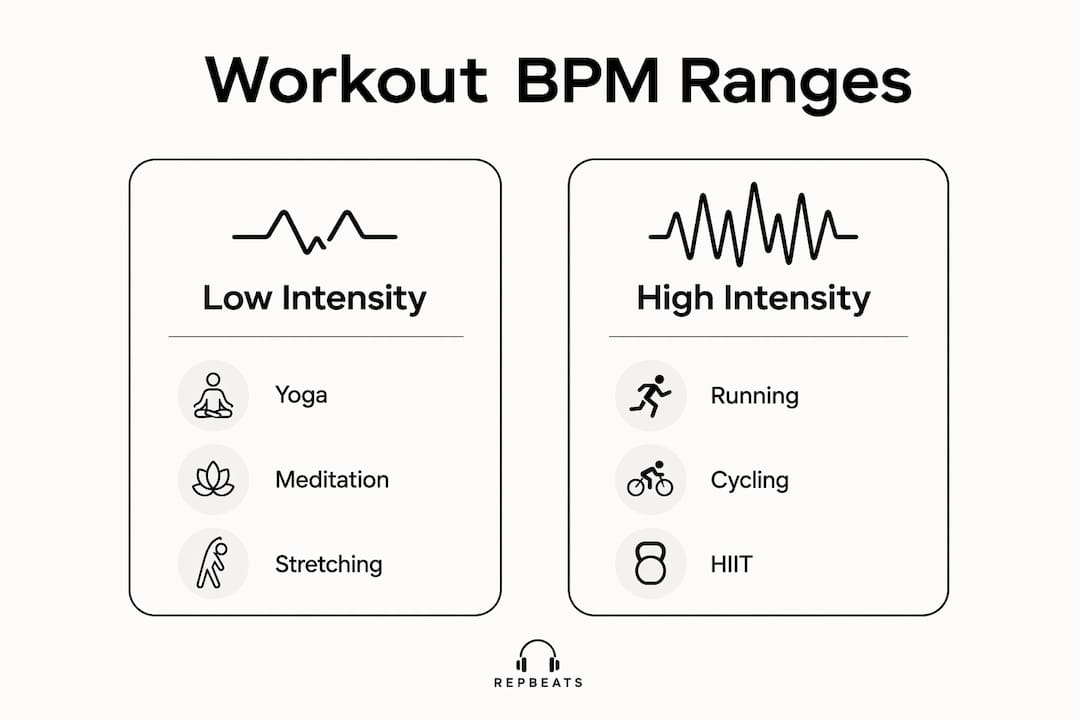
Tempo is a pacing tool, not just motivation. Matching BPM to your activity keeps you in the right performance zone without constantly checking your watch.
| Workout | Typical BPM range | Why it works |
|---|---|---|
| Yoga / meditation | 60–80 BPM | Mirrors resting heart rate, promotes calm focus |
| Walking | 100–115 BPM | Matches a brisk natural stride cadence |
| Cycling (moderate) | 120–135 BPM | Aligns with a comfortable pedal cadence |
| Running (easy pace) | 140–165 BPM | Supports steady steps-per-minute cadence |
| Running (tempo pace) | 165–180 BPM | Drives a faster, more efficient stride |
| Intervals / HIIT | 150–200 BPM | Sustains high-intensity bursts and recovery |
| Epidemic Sound maps these ranges to energy levels, confirming that 120–150 BPM covers most moderate cardio needs. Cadence matters too: a runner at 170 steps per minute benefits most from tracks at or near 170 BPM, not just “fast” music. |
How to build and test a BPM playlist for wearable workouts
Start with your target heart-rate zone and work backward to a BPM range using heart rate music zones. Then follow these steps:
- Pick a BPM range based on the table above for your planned session.
- Search and filter using Chosic or GetSongBPM; add a genre filter to keep the mood consistent.
- Verify each track manually by tapping along or checking a second source. Static BPM tags can be wrong for songs with tempo shifts.
- Order tracks by intensity arc: warm-up BPM → peak BPM → cool-down BPM.
- Run a 5-minute test with your wearable active. Check whether your cadence or heart rate actually tracks the music, or drifts away from it.
- Adjust and repeat. Swap out tracks that feel off-tempo during the test before committing to a full session.
Syncing music to workout intensity takes a few iterations, but the payoff is a playlist that holds your pace instead of fighting it.
How do you sync BPM music to Apple Watch or Fitbit?
Both Apple Watch and Fitbit support third-party music apps, but the path differs.
Apple Watch: Use the Music app or a compatible third-party app installed via the App Store. Offline playback requires downloading tracks to the watch directly, which most streaming apps restrict to premium tiers. Wearable cadence data from Apple Watch is accessible to apps that request HealthKit permissions.
Fitbit: Fitbit’s music controls work through paired phone apps. Direct on-device playback is limited to select Fitbit models (Versa, Sense series). Most BPM-playlist apps run on your phone and use Fitbit’s heart-rate broadcast via Bluetooth.
Practical limits to know: Streaming restrictions mean you often cannot play a BPM-specific track offline without a download. Bluetooth latency can create a small lag between a tempo change and what you hear. And if your pace changes mid-run, a static playlist cannot respond.
Why static BPM data often fails mid-workout
BPM detection algorithms struggle with songs that contain tempo shifts, syncopation, or irregular time signatures. A track tagged at 170 BPM may actually slow to 155 BPM in the bridge, breaking your cadence lock at exactly the wrong moment. Tags in general-purpose databases are also built for DJs and producers, not live wearable-driven workouts, so accuracy for fitness use is inconsistent.
The deeper problem: even a perfectly tagged static playlist cannot respond when your heart rate spikes during a hill or drops during recovery. You end up manually skipping tracks or tolerating a mismatch. That gap is where adaptive music earns its place.
Which apps dynamically adjust tempo using wearable data?
A handful of apps move beyond static playlists and update tempo in real time based on sensor input. The key distinction is whether the app reads live heart-rate or cadence data from a wearable and changes the music’s BPM continuously, or simply plays a pre-sorted playlist at a fixed tempo.
Repbeats is built specifically for this and works seamlessly with devices like the Voltra biometric health band to provide accurate live wearable data. Its auto-DJ technology updates music BPM every bar using live data from Apple Watch or Fitbit, covering cardio sessions, cycling, and meditation programs. The result is tempo that follows your effort rather than a preset schedule. For a deeper look at how wearables feed this process, the wearable intensity explainer walks through the data flow from sensor to sound.
Other apps offer partial solutions: some DJ apps pitch-shift tracks to a fixed BPM, and some running apps adjust playlist order by pace zone. None update tempo bar-by-bar from live biometric input the way Repbeats does.
Comparing BPM music tools: features, pricing, and platform fit
| Tool | Best for | Standout feature | Platform | Pricing |
|---|---|---|---|---|
| Repbeats | Wearable-synced workouts (runners, cyclists, HIIT) | Auto-DJ updates BPM every bar from live heart rate / cadence | iOS / Android | Freemium; free trial (waitlist includes free year), then subscription |
| GetSongBPM | Quick tempo lookup and playlist ideas | Reverse search by exact BPM with popular-tempo shortcuts | Web | Free |
| Chosic | Building initial playlists with genre filters | BPM + genre filter with preview and export | Web | Free |
| SongData | BPM/key lookup and charts | Interactive BPM finder with direct tempo-chart links | Web | Free |
| Mixgraph | DJ/production tempo browsing | Tracks sorted into BPM buckets for precise selection | Web | Free |
| Spotify BPM playlists | Instant curated listening | Huge curated library; search by BPM keywords | iOS / Android / Web | Free / Premium |
The web tools are excellent for discovery. The gap they all share: none connect to your wearable in real time.
How to integrate BPM playlists with Strava and Garmin Connect
Strava and Garmin Connect do not natively control music playback, but you can pair them with BPM-matched audio through a few practical routes.
Strava: After a run, Strava’s segment and pace data shows where your effort peaked. Use that data to identify which BPM range you need for your next session, then build or adjust your playlist before you head out. Some runners use cadence data for playlists to seed their next BPM target directly from Strava’s average cadence figure.
Garmin Connect: Garmin devices support Spotify and other streaming apps via Garmin’s Connect IQ store. You can pre-load a BPM-sorted playlist to a compatible Garmin watch for offline playback during a run. Garmin’s live heart-rate data is also accessible to third-party apps through the Connect IQ API, which adaptive apps can use to drive tempo decisions.
The cleanest integration is an app that reads wearable data directly rather than relying on post-workout exports. That keeps tempo aligned with effort in real time rather than informing the next session only.
How to improve BPM detection accuracy in your library
Detection errors are common, and a wrong tag ruins cadence lock at the worst moment. A few habits keep your library clean.
Cross-check with two sources. If Chosic says 172 BPM and GetSongBPM says 86 BPM, the track likely has a half-time feel. The lower number is the felt groove; the higher is the technical subdivision. Pick the one that matches your stride.
Use tap-tempo to verify. Tap along to the chorus of any track you plan to use. Most BPM tap tools average over 8–16 taps for accuracy.
Flag tempo-shifting tracks. Songs with a slow intro or a breakdown that drops the energy will break cadence mid-workout. Remove them or place them only at transition points.
Pro Tip: Before adding a track to your main workout playlist, play 30 seconds from the middle of the song, not the intro. That is where tempo shifts and breakdowns usually hide.
For adaptive music best practices, including how to handle tracks that drift, Repbeats publishes a dedicated guide for athletes.
Does genre matter when you build a BPM-matched playlist?
Absolutely, and it affects adherence more than most runners expect. A track at 170 BPM in a genre you dislike will not hold your pace the way a 170 BPM track you love does. Genre also carries rhythmic feel: electronic and house music tend to have a rigid, metronomic beat that locks cadence tightly. Rock and hip-hop often have a looser groove that can feel slightly behind or ahead of a strict tempo target.
For high-intensity intervals, electronic, drum and bass, and uptempo pop tend to deliver the clearest beat signal. For steady-state running, pop and hip-hop at 160–175 BPM give enough rhythmic drive without feeling mechanical. Cycling responds well to house and techno in the 120–135 BPM range, where the four-on-the-floor kick aligns naturally with pedal strokes. Meditation and recovery sessions benefit from ambient or acoustic tracks where the tempo is felt rather than driven.
Genre preference is personal, but the rhythmic clarity of a genre at your target BPM is a real performance variable worth testing.
Repbeats solves the static-BPM problem automatically
Every method above requires you to build, verify, and maintain playlists manually. Repbeats removes that loop entirely.

Its adaptive auto-DJ reads live heart-rate and cadence data from Apple Watch or Fitbit and updates the music’s BPM every bar, continuously. No skipping tracks when your pace changes. No rebuilding playlists after a hard interval session shifts your zones. Repbeats covers cardio, cycling, and meditation programs on iOS and Android, with a freemium model: the waitlist launch includes a full free year before any subscription kicks in.
Pro Tip: Run a 5-minute cadence test in Repbeats’ live mode before your first full workout. Set your wearable to broadcast heart rate, start a session, and watch the BPM counter update in real time. If the tempo tracks your effort within a bar or two, the sync is working correctly.
Start your free trial at repbeats.com and test the live sync against your next run or ride.
Key Takeaways
The most effective approach to BPM-matched workouts combines static tempo databases for initial playlist building with an adaptive app like Repbeats for continuous, wearable-driven tempo alignment.
| Point | Details |
|---|---|
| BPM ranges by workout | Yoga/meditation: 60–80 BPM; walking: 100–115 BPM; cycling (moderate): 120–135 BPM; running (easy pace): 140–165 BPM; running (tempo pace): 165–180 BPM; HIIT: 150–200 BPM. |
| Static tools for discovery | GetSongBPM, Chosic, and SongData are free and fast for building initial BPM playlists. |
| Static BPM limits | Tags can be wrong for songs with tempo shifts; always cross-check two sources before adding a track. |
| Wearable sync gaps | Apple Watch and Fitbit stream live data, but static playlists cannot respond when your effort changes mid-session. |
| Repbeats adaptive solution | Repbeats updates music BPM every bar from live wearable data, removing the need for manual playlist rebuilding. |


