Best Workout Music Apps for Runners and Gym-Goers
Jordan MillsAugust 4, 2026 · 10 min read

Best Workout Music Apps for Runners and Gym-Goers
TL;DR:
- Repbeats is the top workout music app because it syncs music tempo with wearable data for more effective training. It adjusts BPM in real time based on user effort, enhancing motivation and pacing during outdoor and indoor sessions.
For most fitness enthusiasts, the single best workout music app is Repbeats. It syncs music tempo directly to your heart rate and cadence using live data from Apple Watch or Fitbit, then updates the BPM every bar through its auto-DJ engine. That means the soundtrack actually moves with your effort instead of sitting at a fixed tempo while your body shifts gears. Runners, HIIT athletes, and anyone training with a wearable should try it first. Repbeats launches with a free year included on the waitlist, so there’s no reason not to test it against a real session before committing to a subscription.
Table of Contents
- What are the best workout music apps right now?
- Which features actually matter during a workout?
- What platforms and pricing should you expect?
- How do you pick the right app for your goals?
- Why does adaptive, beat-matched music improve your workouts?
- What do real users say about workout music apps?
- Key Takeaways
- The case for adaptive music over everything else
- Repbeats gives your workouts a soundtrack that keeps up with you
- Useful sources
What are the best workout music apps right now?
Not all fitness music apps work the same way. There are four main types, and the right one depends entirely on how you train.
| App type | Best for | Platform / wearable fit | Pricing model | Standout feature |
|---|---|---|---|---|
| Adaptive / heart-rate-synced | Running, HIIT, cycling, meditation | iOS, Android, Apple Watch, Fitbit | Freemium + subscription | Live BPM sync to wearable data |
| DJ-curated continuous mixes | Cardio, long runs, group classes | iOS, Android (no wearable sync) | Free tier or subscription | Uninterrupted energy flow |
| Playlist-based streaming | All workout types, casual gym use | iOS, Android, some watch apps | Freemium + subscription | Massive catalog, editorial playlists |
| Radio-style / broadcast mixes | Steady-pace cardio, background gym | iOS, Android, web | Free (ad-supported) | Zero curation effort required |
Adaptive apps are the only type that respond to what your body is actually doing. DJ-curated mixes, like the BBC Sounds Pace Setter sets designed to power runs at a steady tempo, are a solid fallback when you want uninterrupted energy without any setup. Playlist-based services work well for endurance sessions where you want hours of continuous music without re-curation. Radio-style apps ask nothing of you, which is their whole appeal for casual gym use.
For running specifically, editorial playlist guides often separate tracks by run type — long runs, intervals, hills, recovery — and include BPM values to help structure the session. That manual approach works, but it requires upfront effort every time your training block changes.
Which features actually matter during a workout?
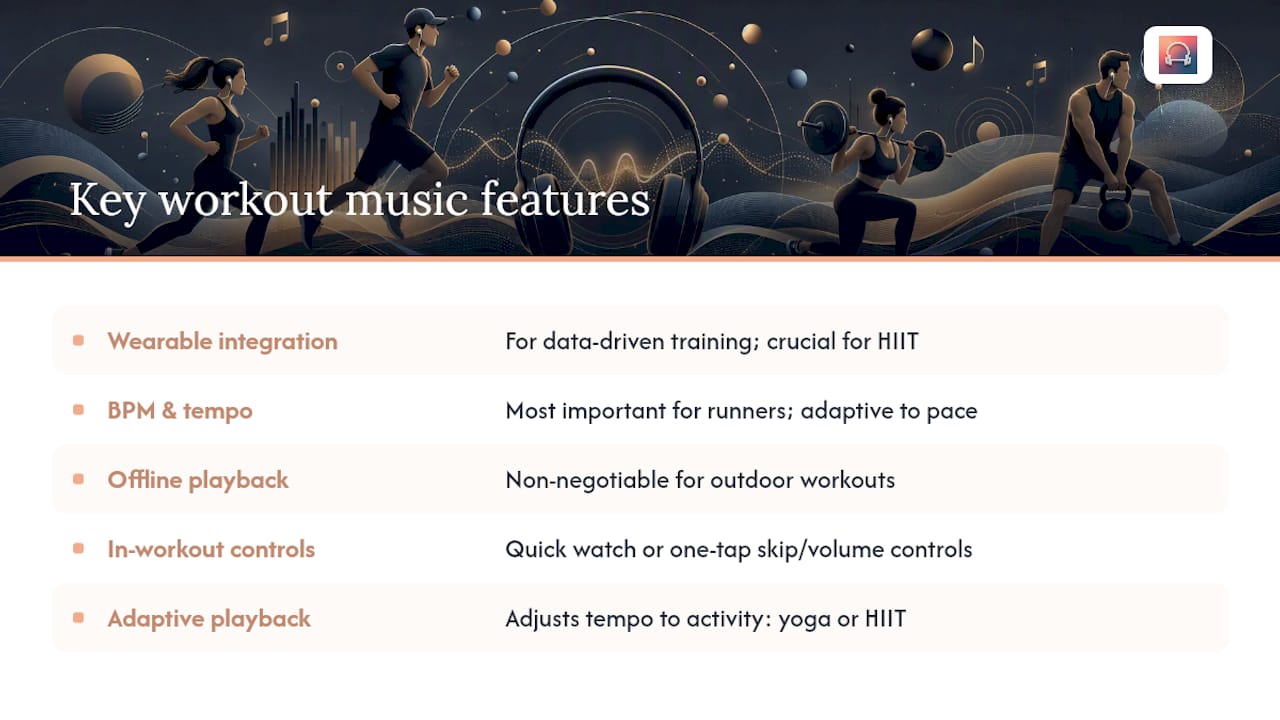
The features that separate a good fitness music app from a frustrating one are wearable integration, BPM control, offline playback, in-workout controls, and adaptive playback. Each one hits differently depending on your training style.
Wearable integration is the highest-leverage feature for anyone training with data. When an app reads your heart rate or cadence from an Apple Watch or Fitbit, it can shift the music to match your zone instead of forcing you to manually adjust mid-run. For HIIT, where intensity swings every 30 seconds, that matters more than any playlist.
BPM and tempo control matters most for runners. Runner’s World guidance makes a useful point here: the goal isn’t to obsess over exact BPM targets but to find music that feels natural and aligned with your running goals. Adaptive systems that respond to your actual pace do this better than static playlists.
Offline playback is non-negotiable for outdoor workouts. Cellular dead zones, airplane mode on a long trail run, or simply preserving data — any of these make offline mode a practical requirement, not a premium feature.
In-workout controls are underestimated. Fumbling through a complex UI while breathing hard is a real problem. The best apps surface skip, volume, and intensity controls on a watch face or a single tap.
Adaptive playback ties everything together. For yoga and meditation, a gradual tempo descent as your heart rate drops is genuinely useful. For HIIT, a sharp BPM spike at the start of a work interval keeps you honest.
Pro Tip: For outdoor runs, open-ear headphones like bone-conduction models let you keep situational awareness without sacrificing audio. Reduce bit-rate only when battery or data is a real constraint — audio quality drops noticeably below 128 kbps on most Bluetooth earbuds.
What platforms and pricing should you expect?
Check wearable compatibility and offline support before anything else. Pricing almost always follows a freemium-to-subscription path, with trials handled directly by the app stores.
Platform compatibility checklist:
- Wear OS — support is less consistent; verify before downloading
- Third-party integrations (Strava, fitness trackers) are available on some platforms and useful for streamlining your fitness tracking workflow alongside music
For gym owners and instructors, licensing is a separate consideration. Services like FitnessPlayer provide cleared tracks for public performance and group classes — a different category from personal-use apps.
On pricing: most personal-use apps offer a free tier with limited features, then move to a monthly or annual subscription. Trials are typically managed through the App Store or Google Play. Apple’s billing documentation explains how to manage and cancel subscriptions on iOS, and Google Play’s support pages cover the same for Android. Always cancel through the platform, not the app itself, to avoid being charged after a trial ends.
How do you pick the right app for your goals?
Start with device integration, workout type support, and in-session controls. Everything else is secondary.
- Compare price against actual use — A subscription makes sense if you train four or more times a week. For casual gym-goers, a free tier or a one-time purchase may cover everything you need. Check weekly fitness tracking practices to see how music fits into a consistent training rhythm.
Red flags to watch for: no offline mode, wearable sync that only works on one device brand, in-workout controls buried three taps deep, and subscription billing that isn’t clearly disclosed before the trial ends.
Why does adaptive, beat-matched music improve your workouts?
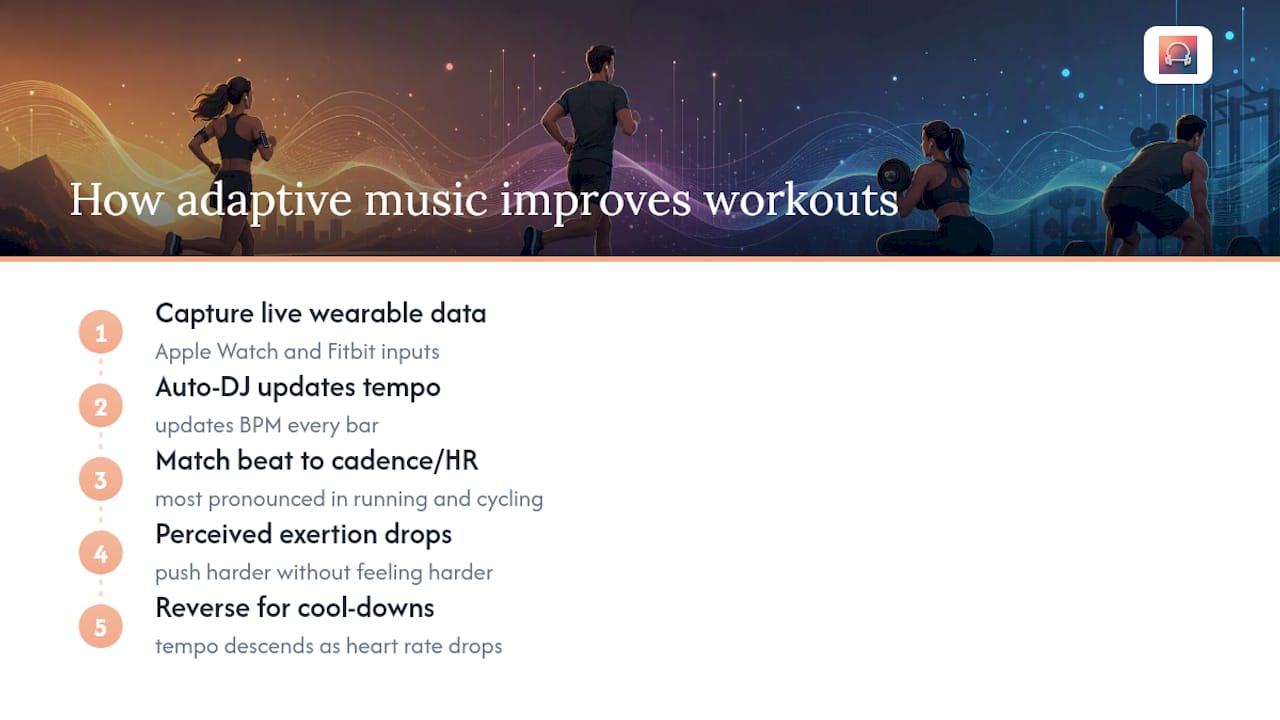
Adaptive music works because tempo directly influences perceived exertion and pacing. When the beat matches your cadence, your brain processes the movement as more efficient — you push harder without feeling like you’re working harder. That effect is most pronounced in running and cycling, where cadence is consistent and measurable.
The expert consensus, reflected in Runner’s World’s playlist guidance, is that music aligned with your running goals outperforms music chosen by strict BPM targets alone. The difference is personalization: a tempo that fits your zone 2 pace on Tuesday may be wrong for your interval session on Thursday. Static playlists can’t adjust for that. Wearable-driven systems can.
Music that responds to your heart rate doesn’t just motivate — it acts as a real-time pacing cue, keeping you in the right intensity zone without constant manual adjustment. Repbeats’ auto-DJ engine updates BPM every bar using live data from Apple Watch and Fitbit, which means the soundtrack adapts as your effort changes, not after the song ends.
Repbeats implements this through live wearable data capture and an auto-DJ engine that shifts tempo continuously. The result is a session where the music functions as a training tool, not just background noise. For meditation and cool-downs, the same system works in reverse: as heart rate drops, tempo descends with it. The science behind heart-rate-synced music explains the physiological mechanism in detail, and Repbeats’ adaptive music best practices guide covers how to configure wearable inputs for different training types.
What do real users say about workout music apps?
Users consistently praise music matching, curated mixes, and offline playback. The complaints cluster around three areas: weak or unreliable watch integration, confusing subscription billing, and app crashes during workouts.
- Positive sentiment: — Users rate tempo-matched music highly for keeping pace during runs and HIIT. Offline playback earns consistent praise from outdoor athletes who train in areas with poor signal.
- Watch integration complaints: — The most common frustration is an app that claims Apple Watch or Wear OS support but delivers only basic controls — no heart-rate reading, no tempo adaptation. Users notice immediately when the watch integration is cosmetic rather than functional.
Before subscribing to any fitness music app, run it through at least two full sessions — one indoors and one outdoors — and test the watch pairing on both. That’s usually enough to surface the stability and integration issues that reviews describe.
Key Takeaways
Adaptive, wearable-synced music is the most effective approach for fitness enthusiasts who train with data — and Repbeats is the leading app built specifically around that model.
| Point | Details |
|---|---|
| Adaptive apps outperform static playlists | Heart-rate and cadence syncing keeps tempo matched to your actual effort, not a fixed BPM. |
| Wearable compatibility is the first filter | Confirm Apple Watch, Fitbit, or Wear OS support before downloading any fitness music app. |
| Offline mode is a practical requirement | Test airplane-mode playback before your first outdoor session to avoid mid-run silence. |
| Trial before subscribing | Run two full sessions — indoor and outdoor — to catch stability and watch-sync issues early. |
| Repbeats for wearable-synced workouts | Repbeats’ auto-DJ engine and live wearable integration make it the recommended pick for runners, HIIT athletes, and cyclists. |
The case for adaptive music over everything else
Repbeats earns the top recommendation because wearable integration and adaptive playback solve the actual problem most fitness enthusiasts face: music that doesn’t match the session. A static playlist set to 160 BPM works fine for a tempo run but fights against a zone 2 recovery jog. Repbeats adjusts for both without any manual input.
That said, adaptive music isn’t the right fit for everyone. Casual gym-goers who prefer mainstream streaming playlists and don’t train with a wearable will get more value from a playlist-based service with a large catalog. Users who want zero setup and just need background energy for a group class are well served by DJ-curated mixes or radio-style apps. The adaptive model earns its keep when you’re training with intent and tracking data.
Repbeats gives your workouts a soundtrack that keeps up with you
Most fitness music apps hand you a playlist and leave the rest to you. Repbeats does something different: it reads your heart rate and cadence from your Apple Watch or Fitbit and shifts the music’s tempo in real time, every bar, so the soundtrack matches your effort whether you’re pushing through a sprint interval or winding down after a long run.

The waitlist launch includes a free year, so you can test every feature — adaptive playback, offline sessions, cardio and meditation programs, and real-time music controls — before any subscription kicks in. Billing is handled through the App Store or Google Play, and you can cancel there at any time. Visit Repbeats to check platform availability and get started.
Useful sources
- The Best Running Playlists for Every Workout
- The best running songs for long runs, motivation and recovery
- BBC Sounds Mixes - Pace Setter, Pop Remixes to Power Your Run
- FitnessPlayer – Licensed music for gyms & instructors
- support.apple.com
- support.google.com
- Why Heart Rate Synced Music Works for Better Workouts | Repbeats
- Repbeats | Adaptive Workout Music & BPM Playlists


