The Best Interval Running Music: BPM Playlists That Work
Jordan MillsAugust 11, 2026 · 12 min read
The Best Interval Running Music: BPM Playlists That Work
Press play on any of these right now: the SHAPE 40-Minute Interval Playlist on Spotify (11 tracks, ~42 minutes, alternating high/low energy), the 4+2 Interval Training playlist by Manu Delago on Spotify (built around a 4-minute effort / 2-minute recovery format), the Runner’s World interval playlist for a curated editorial pick, the Women’s Running interval playlist guide for a coach-sequenced approach, and the ALUMIA RECORDS 150–180 BPM Spotify collection for a large high-BPM pool you can pull from. For hands-off tempo alignment, Repbeats is the adaptive option: it reads your cadence and heart rate live and adjusts BPM every bar so the music always matches your effort level.
The core rule: use a BPM-matched static playlist for fixed, repeatable interval formats; switch to adaptive music when your pace fluctuates or you want automatic tempo syncing without touching your phone.
Key Takeaways
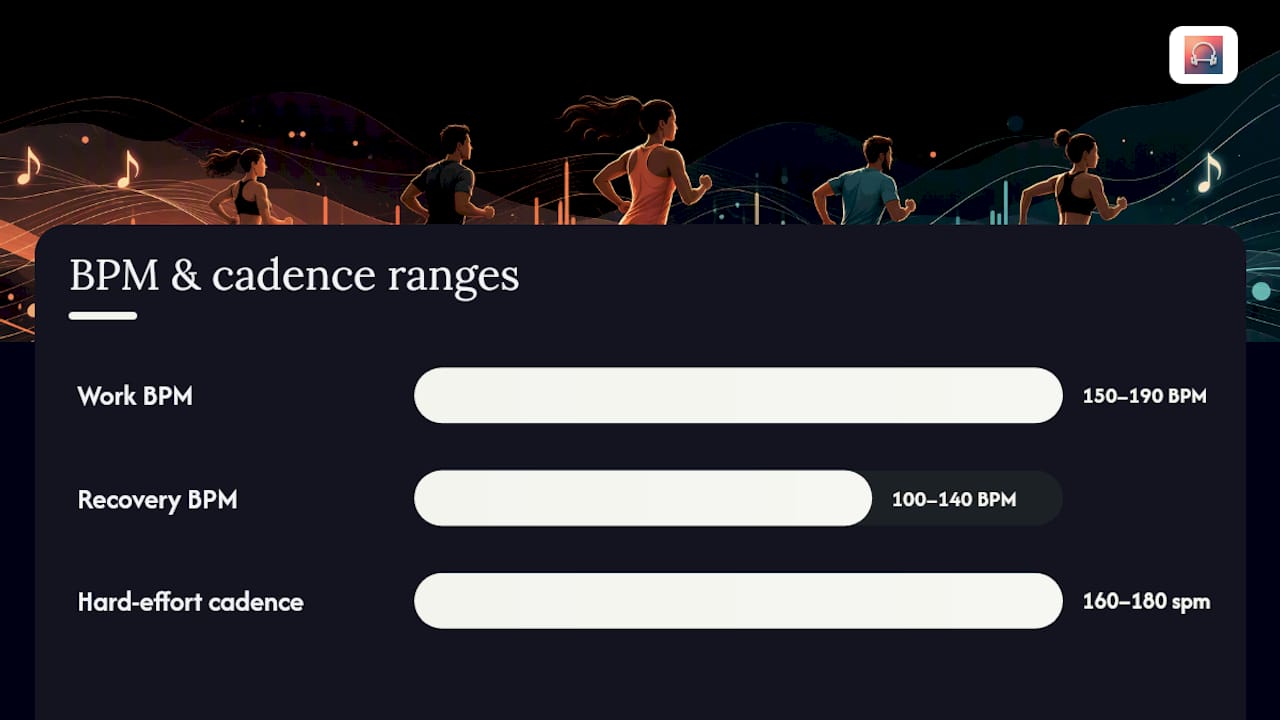
BPM-matched interval running music works best when the playlist format mirrors your interval structure: sprint work at 150–190 BPM, recovery at 100–140 BPM, and song length aligned to interval block length.
| Point | Details |
|---|---|
| Match playlist to interval format | Choose playlists built for your specific format (Tabata, 30/30, 4+2) rather than generic pump-up mixes. |
| Sprint BPM: 150–190, recovery: 100–140 | These ranges align your step cadence to the beat, reducing the effort of pacing. |
| Static vs. adaptive | Use static playlists for fixed formats; use adaptive music (Repbeats) when pace fluctuates or you want hands-off tempo control. |
| Turn off shuffle and crossfade | These two settings prevent the playlist from drifting out of sync with your interval timer. |
| Repbeats for live syncing | Repbeats adjusts BPM every bar using wearable cadence and heart rate data, removing the need to pre-plan tempo. |
Table of Contents
- What interval running music should you play right now?
- How do you match BPM to your interval work and rest phases?
- How do you build your own interval running playlist?
- When should you use an adaptive music app instead of a static playlist?
- Sample interval session templates you can run today
- Warm-up, cooldown, and safety rules for running with music
- The part most interval music guides get wrong
- Repbeats brings adaptive tempo to your interval sessions
- Sources
What interval running music should you play right now?
The five playlists above cover the most common formats, but here is the full breakdown by interval structure so you can match the right one to your session.
- Tabata (20s on / 10s off): The Workout Music Tv 170 BPM Tabata/HIIT compilation on Spotify is built for short work/rest ratios and runs 60 minutes non-stop. Target BPM: 160–175 for work segments. Turn shuffle off and crossfade off so the timing stays predictable.
- 30/30 (30s hard / 30s easy): Pull from the ALUMIA RECORDS 150–180 BPM pool and manually sequence alternating tracks. Work segments: 155–175 BPM. Recovery: 120–135 BPM. Session length: 20–30 minutes.
- 1:2 recovery (1 min hard / 2 min easy): The Women’s Running coach-sequenced playlist fits this format well because it alternates fast and slow songs by design. Work BPM: 160–180. Recovery BPM: 110–130.
- 4+2 (4 min work / 2 min recovery): The Manu Delago 4+2 playlist is built exactly for this structure, organized around an ~85 BPM anchor for recovery and higher-energy tracks for effort phases. Duration: enough for a standard 30–36 minute session.
- Descending ladder (5-4-3-2-1 minutes): Use the SHAPE 40-Minute playlist as your base. Its 11 tracks at ~42 minutes cover the total time, and the alternating energy structure maps naturally to a descending format. Shuffle off; let the editorial sequencing do the work.
Pro Tip: Set crossfade to zero on Spotify and Apple Music before you start. Even a 1-second fade between tracks can blur the transition cue you’re using to signal a work/rest switch.
Runner’s World notes that advanced runners often move to intelligent apps precisely because manual playlists can’t account for fluctuating pace. For fixed formats, though, a well-sequenced static playlist is all you need.
How do you match BPM to your interval work and rest phases?
Sprint and work segments generally call for 150–190 BPM, depending on your cadence. Recovery segments sit best at 100–140 BPM. The reason is straightforward: your step rate during a hard effort typically lands between 160–180 steps per minute, and a song at that BPM gives you one beat per step, which locks your rhythm without you thinking about it.
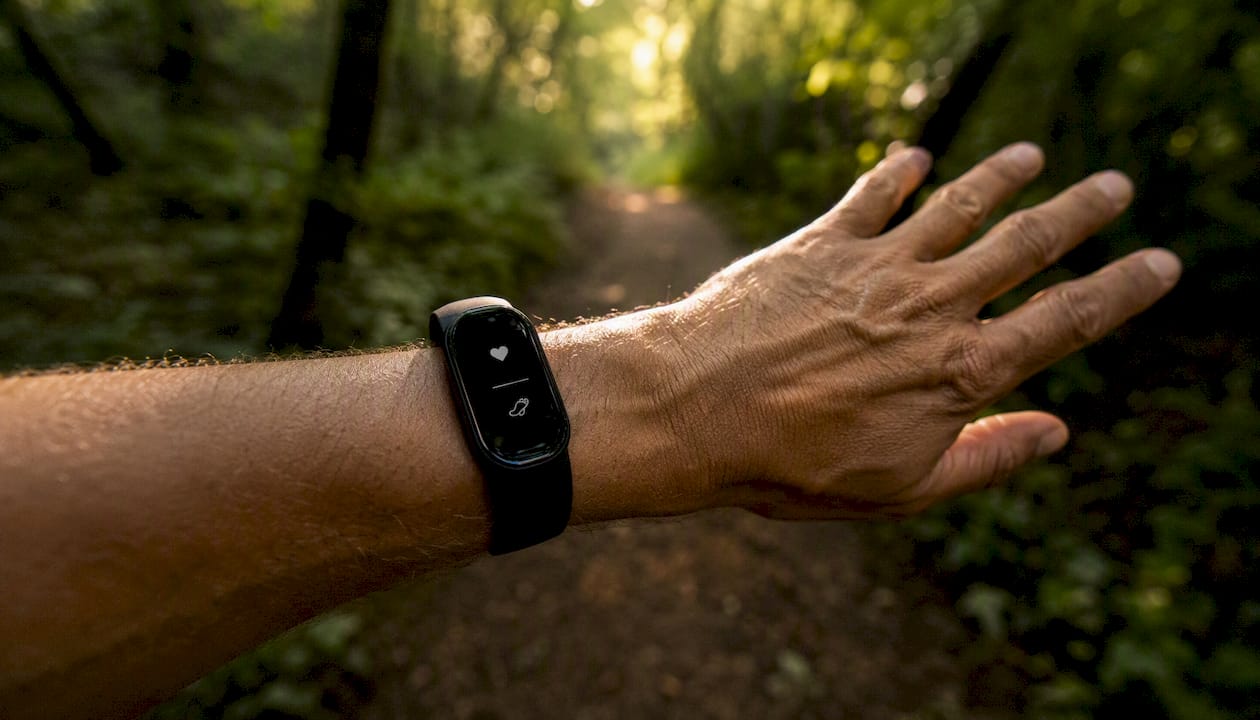
To convert BPM to cadence: if you run at 170 steps per minute, a 170 BPM track gives you one beat per step. At 85 BPM, you get one beat per two steps (one stride). Both work; the first feels more urgent, the second more controlled.
| Interval format | Work BPM | Recovery BPM | Cadence match (steps/min) |
|---|---|---|---|
| Tabata 20/10 | 160–175 | 100–120 | 160–175 work / 100–120 rest |
| 30/30 | 155–175 | 120–135 | 155–175 work / 120–135 rest |
| 1:2 recovery | 160–180 | 110–130 | 160–180 work / 110–130 rest |
| 4+2 | 155–170 | 100–120 | 155–170 work / 100–120 rest |
| 5-4-3-2-1 ladder | 165–185 | 115–135 | 165–185 work / 115–135 rest |
A randomized crossover study published in BMC Sports Science, Medicine and Rehabilitation found that listening to preferred music during repeated-sprint sets improved sprint performance indices in set 1 compared with no music or music only during warm-up. The effect was meaningful in the first set, which is exactly when most runners need the biggest motivational lift.
Pro Tip: Avoid songs with long intros (more than 15 seconds of low energy before the beat drops). They eat into your work segment before the tempo kicks in. Filter for tracks where the beat is established within the first 8 seconds.
How do you build your own interval running playlist?
Follow these steps in order and your playlist will match your interval plan without mid-session adjustments.
- Define your interval format and total session time. Write it down: format (e.g., 30/30), number of rounds, and total minutes including warm-up and cooldown.
- Calculate how many songs you need. A 3-minute song covers three 30/30 rounds. A 6-minute song covers one 4+2 block. Match song length to interval block length, not to the whole session.
- Find songs by BPM. Use a tool like Soundiiz, Spotify’s own BPM filter, or the Repbeats BPM search guide to locate tracks at your target BPM. Pull work-phase tracks first, then recovery tracks.
- Sequence songs to align with work/rest phases. Alternate: high-BPM track (work) → low-BPM track (rest) → repeat. Gina Harney at Women’s Running recommends letting the music dictate workload rather than fighting a timer against song structure.
- Set platform behavior. Shuffle off. Crossfade off. Gapless playback on if your platform supports it (Apple Music does; Spotify’s gapless is track-dependent). These three settings prevent the playlist from drifting out of sync.
- Test a single interval block before your session. Play the first work track and first recovery track back to back. Check that the energy shift is obvious and the timing feels right. Adjust if a song ends 20+ seconds before your interval does.
When a song ends mid-interval, you have three options: pick a longer track, loop a short instrumental bridge, or accept a brief silence and use it as a natural cue. Silence for 5–10 seconds between intervals is not a problem; silence for 45 seconds is.
For licensing and sharing: Spotify and Apple Music both let you save and share playlists easily. YouTube Music works for personal use but sharing is less reliable for curated interval playlists. Personalizing your playlist setup is worth the 20 minutes it takes before your first session.
When should you use an adaptive music app instead of a static playlist?
Use a static BPM playlist for simple, repeatable interval sessions where your pace and format are fixed. Choose adaptive music when your tempo fluctuates, your intervals vary in length, or you want the music to respond to your actual effort rather than a pre-set plan.
Here is how adaptive syncing works: an app like Repbeats reads live data from your wearable (cadence and heart rate from an Apple Watch or Fitbit), then its auto-DJ engine adjusts the track’s BPM every bar to match your current intensity. You never touch your phone. The music shifts with you.
Repbeats capabilities at a glance:
- Real-time BPM updates every bar, driven by live cadence and heart rate
- Wearable integration with Apple Watch and Fitbit
- Playlist and music library search by BPM
- Auto-DJ mode for cardio and meditation programs
- Real-time playback control without interrupting the session
Understanding how wearables measure exercise intensity helps you get the most out of adaptive syncing, especially for interval work where intensity shifts sharply.
| Situation | Static playlist | Adaptive app (Repbeats) |
|---|---|---|
| Fixed Tabata or 30/30 format | Strong fit | Works, but auto-DJ is underused |
| Variable pace or fartlek runs | Gaps in sync | Strong fit |
| First-time interval runner | Easy to set up | Slight learning curve |
| Wearable user (Apple Watch / Fitbit) | Not required | Recommended |
| Hands-off session control | Requires pre-planning | Automatic |
One practical note: adaptive apps use Bluetooth and live sensor polling, which draws more battery than a static playlist. On a run over 60 minutes, check your wearable charge before you start.
Sample interval session templates you can run today
Tabata sprint (20 min total) 20s hard @165–175 BPM / 10s easy @100–115 BPM. 8 rounds per set, 2 sets with 1-minute rest between sets. Use the Workout Music Tv 170 BPM Tabata compilation. Shuffle off. Total playlist needed: 22 minutes.
30/30 speed sets (30 min total) 30s hard @160–175 BPM / 30s easy @120–135 BPM. 20 rounds. Pull alternating tracks from the ALUMIA RECORDS 150–180 BPM pool. Playlist duration: 32 minutes including warm-up tracks.
1:2 recovery run (36 min total) 1 min hard @165–180 BPM / 2 min easy @110–125 BPM. 8 rounds. Use the Women’s Running coach-sequenced playlist. The alternating song structure matches the 1:2 ratio naturally.
4+2 VO2 repeats (36 min total) 4 min hard @155–170 BPM / 2 min recovery @100–115 BPM. 5 rounds. Open the Manu Delago 4+2 Spotify playlist directly. Adaptive mode optional but useful if your pace drifts in rounds 4 and 5.
Descending 5-4-3-2-1 ladder (30 min total) 5 min @165 BPM / 4 min @170 BPM / 3 min @175 BPM / 2 min @180 BPM / 1 min @185+ BPM, with 90-second recovery between each. Use the SHAPE 40-Minute playlist. The editorial sequencing builds energy across the session, which mirrors the ladder structure. Total: ~30 minutes of work plus warm-up.
Warm-up, cooldown, and safety rules for running with music
Always include a 5–10 minute warm-up and a 5–10 minute cooldown, and reduce volume in any environment with traffic or other runners.
Warm-up tracks should sit at 100–130 BPM: enough to elevate your heart rate gradually without pushing you into sprint cadence before your muscles are ready. Cooldown tracks drop to 80–110 BPM to bring your heart rate down progressively. For a 30-minute interval session, that means your total playlist runs 40–50 minutes.
On safety: run with one earbud out or use bone-conduction headphones on roads, trails, or anywhere you share space with cyclists or vehicles. Volume above 85 dB over extended periods carries hearing risk, and high volume also masks environmental cues. Heart-rate-aligned music tips are worth reading if you’re using music to hit specific training zones.
Three quick checks before every interval session:
- Phone secured (armband or vest pocket, not hand-held)
- Timer visible on your wearable or phone screen so you’re not relying solely on music cues
- Wearable battery above 30% if you’re using adaptive mode
A sport-focused fitness tracker that supplies accurate cadence and heart rate data makes both static playlist selection and adaptive syncing more precise, especially for runners who want to match BPM to actual step rate rather than estimated effort.
The part most interval music guides get wrong
Most articles on speed workout music treat BPM as a lookup table: sprint = high BPM, rest = low BPM, done. That framing is correct but incomplete, and it leads runners to a specific mistake: they build one long pump-up playlist, hit play, and then fight their timer every time a song’s energy doesn’t match where they are in the interval.
The deeper insight from coaches like Gina Harney is that the sequencing matters as much as the BPM number. A 175 BPM track that starts with 20 seconds of ambient intro is functionally a 155 BPM track for the first quarter of your work interval. A song that peaks at the 2-minute mark is useless for a 30-second sprint. BPM is a filter; song structure is the actual tool.
The second thing most guides underrate is the value of silence and low-energy transitions as deliberate cues. Runners who use music as a timer learn to read the track’s energy shift as the signal to push or recover. That only works if the playlist is sequenced correctly and crossfade is off. A smooth crossfade blurs the cue you’re relying on.
Adaptive music solves both problems automatically, which is why it’s the right call for variable-pace sessions. But for fixed formats, a well-built static playlist built with the steps above will outperform any generic motivational mix, every time.
Repbeats brings adaptive tempo to your interval sessions
Most runners spend 20 minutes building a playlist and still end up adjusting it mid-run when their pace shifts. Repbeats removes that problem entirely. The app reads your live cadence and heart rate from your Apple Watch or Fitbit and updates the music’s BPM every bar, so the soundtrack always matches your actual effort, not a plan you made before you started.

For interval runners specifically, that means your sprint segments get faster music automatically as your cadence climbs, and your recovery tracks slow down as your heart rate drops. No manual adjustments, no mid-interval phone checks. Repbeats also lets you search your music library by BPM, so you can build a static playlist when you want one and switch to adaptive mode when your session calls for it.
The app launches with a free trial period. Repbeats and run your first adaptive interval session today.
Sources
- The Perfect Interval Training Playlist | Women’s Running
- Interval Running Playlist | Runner’s World
- Interval Training Music for cycling and running (4+2 min) - playlist by Manu Delago | Spotify


