Best Running Metronome App for Wearable Runners
Jordan MillsJuly 31, 2026 · 10 min read

Best Running Metronome App for Wearable Runners
TL;DR:
- Repbeats is a running app that syncs with wearables to deliver real-time cadence cues and adaptive music. It layers low-latency metronome sounds under playlists, adjusting the tempo based on live heart rate and step data. This dynamic approach helps runners improve form and avoid injuries more effectively than static preset tools.
For wearable-first runners who want both metronome accuracy and music that adapts to their live cadence and heart rate, Repbeats is the best running metronome app available right now.
TL;DR: Repbeats syncs to Apple Watch and Fitbit in real time, updates music BPM every bar via its auto-DJ engine, and keeps the beat running underneath your playlist without interrupting it. That combination is what separates it from single-purpose cadence apps.
- Cadence accuracy: Live wearable sync means the beat matches your actual steps per minute, not a static preset you set before leaving the house.
- Adaptive music: The auto-DJ technology adjusts track tempo continuously, so your soundtrack accelerates with you on tempo days and dials back on recovery runs.
- Low-latency background audio: The metronome cue layers under your music or podcast rather than replacing it, which is the feature most runners actually want.
Table of Contents
- Why does cadence training actually improve your running?
- What features should you look for in a running cadence app?
- How do you set up cadence training with a metronome app?
- How Repbeats delivers metronome accuracy and adaptive music together
- Which devices work with Repbeats, and what should you know about privacy?
- Key Takeaways
- Why wearable-integrated cadence training is the right call
- Repbeats: start your free trial today
- Further reading and sources
Why does cadence training actually improve your running?
Cadence, measured in steps per minute (SPM), is one of the most evidence-backed variables in recreational running. Research published on PMC frames cadence work as muscular rhythm training rather than a mechanical number to chase. The goal is to internalize a stride pattern until it becomes automatic, the same way a musician internalizes a tempo.
The practical payoff is real. A running metronome app helps runners maintain a steady cadence, and research suggests that consistency reduces impact-related injuries like shin splints and runner’s knee while improving running economy. Lower impact forces per stride add up fast over a 5-mile run.
Audible beats are the mechanism. When your ear locks onto a rhythm, your neuromuscular system follows. That is why a metronome cue works better than a mental count: it offloads the cognitive effort and lets your body respond.
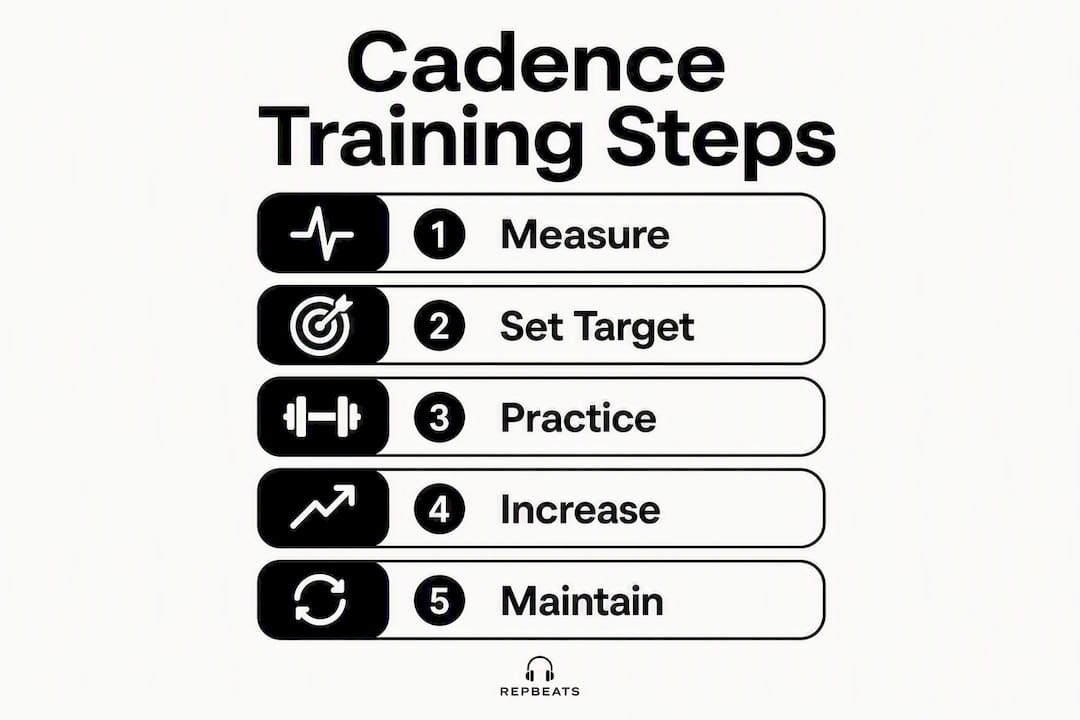
Pro Tip: Before changing anything, count your steps for 30 seconds and multiply by two. That number is your baseline SPM. Write it down. Every progression decision you make should start from that specific figure.
What features should you look for in a running cadence app?
Not every metronome app is built for runners who wear a smartwatch and listen to music simultaneously. Here is the checklist that actually matters:
- Low-latency beat delivery: Any perceptible delay between the cue and your foot strike breaks the rhythm habit you are trying to build. clear, low-latency audio as the top usability factor for interval and tempo sessions.
- Background audio mixing: The beat should layer under your music or podcast, not pause it. Top cadence apps list background audio as a standard feature, but the quality of the mix varies significantly.
- Live wearable sync: Heart rate and cadence data from Apple Watch or Fitbit should update the BPM in real time, not just at the start of a session.
- Apple Watch standalone mode: For runners who leave the phone at home, the watch needs to handle playback independently.
- Offline operation: Connectivity drops on trails and in tunnels. An app that requires a live connection mid-run is a liability.
- Tap-tempo and presets: Tap-tempo lets you capture your natural stride on the fly; presets save your target BPMs for different session types.
- Run history and cadence trends: Advanced apps track cadence over time so you can see whether your training is actually moving the number.
Pro Tip: Choose a subtle sound, a soft beep or woodblock rather than a sharp click, and set the metronome volume about 20% lower than your music. The goal is a cue you feel more than hear. If you are consciously listening to the beat after the first mile, it is too loud.
How do you set up cadence training with a metronome app?
You can run a complete first session within 10 minutes of setup. The protocol: measure baseline SPM, set a modest target, enable background audio with wearable sync, and commit to gradual weekly progression.
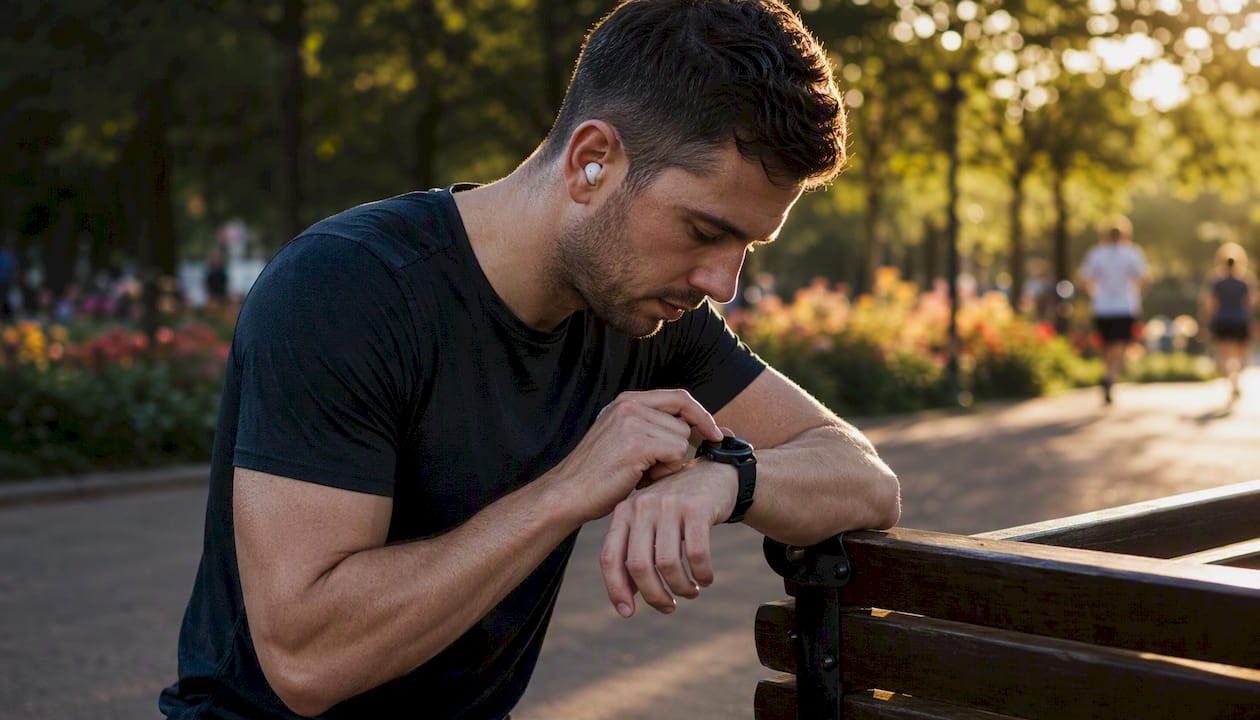
Week 1: Run two or three easy sessions at your baseline cadence with the metronome simply confirming your natural rhythm. Do not chase a higher number yet. The point is to feel what your current stride sounds like.
Week 2: Increase your target by 5% above baseline. PMC cadence guidance is clear that jumps beyond 5–10% per phase risk form breakdown and injury. A runner at 160 SPM targets 168, not 175.
Weeks 3 and 4: Hold the new cadence across different session types, including easy runs and one tempo effort. Consistency across paces is what converts a target into a habit.
One underused application: set the metronome deliberately lower on recovery days. Rehab2Perform notes that a lower BPM cue prevents runners from accidentally turning easy days into moderate-effort sessions, which is one of the most common training mistakes.
Pro Tip: Use tap-tempo on a treadmill at your easy-run pace to capture baseline SPM in under 30 seconds, then save it as a named preset before your first outdoor session.
How Repbeats delivers metronome accuracy and adaptive music together
Repbeats is built specifically for the runner who wants a cadence cue and a dynamic playlist in the same app. Every feature on the checklist above is present, and several go further than a standalone metronome app can.
- Auto-DJ adaptive BPM: The engine updates music tempo every bar based on live wearable data, so the soundtrack accelerates with your effort rather than sitting at a fixed BPM you set before leaving.
- Live sync with Apple Watch and Fitbit: Heart rate and cadence feed directly into the BPM engine. Learn more about how wearables measure exercise intensity and drive those real-time adjustments.
- Background beat layering: The metronome cue runs under your adaptive playlist without interrupting it.
- Offline playlists: Sessions work without a data connection, which matters on trails and during races.
- Cardio and recovery programs: Structured programs cover both high-intensity tempo work and deliberate recovery pacing.
- Run history: Cadence trends are logged so you can track SPM progress across weeks.
Pricing: Repbeats uses a freemium model. The current waitlist launch includes a free year of access, with a paid subscription following the trial period. App store billing handles transactions.
Pro Tip: On tempo days, let the auto-DJ push BPM with your heart rate. On recovery days, set a manual BPM cap about 5% below your easy-run baseline and let the app hold you there. That two-mode approach is where adaptive fitness soundtracks earn their keep.
Which devices work with Repbeats, and what should you know about privacy?
| Device setup | Standalone mode | Background audio | Battery impact | Notes |
|---|---|---|---|---|
| Apple Watch (solo) | Yes | Yes | Moderate | Leave iPhone at home; watch handles playback |
| iPhone + Apple Watch | Yes | Yes | Low on phone | Watch acts as sensor; phone drives audio |
| Android + Fitbit | No standalone | Yes | Low | Phone required; Fitbit supplies cadence/HR data |
| Bluetooth headphones | N/A | Yes | Negligible | Pair before run; confirm codec for low latency |
Live wearable sync shares heart rate and cadence data with the app to drive BPM adjustments. For specifics on data handling, check Repbeats’ privacy documentation directly at repbeats.com.
Battery check before every run: Confirm firmware is current, Bluetooth is paired, and at least one offline playlist is downloaded. A mid-run sync failure with no offline fallback is the most common reason runners abandon wearable-linked apps after the first week.
For deeper context on how fitness platforms handle offline audio delivery and latency at the system level, Fitness Flow’s technical resources cover the infrastructure considerations worth understanding.
Key Takeaways
Repbeats is the best running metronome app for wearable users because it combines live cadence sync, adaptive BPM music, and low-latency background audio in a single freemium app.
| Point | Details |
|---|---|
| Measure baseline first | Count steps for 30 seconds, multiply by two, and save that SPM before changing anything. |
| Progress by 5–10% only | Larger cadence jumps risk form breakdown; small, consistent increases build lasting habit. |
| Background audio is non-negotiable | The metronome cue must layer under your music, not replace it, for wearable-first runners. |
| Use recovery-day BPM caps | Setting a lower BPM on easy days prevents accidental moderate-effort sessions. |
| Repbeats free trial | The waitlist launch includes a free year; start there to test live wearable sync and adaptive playlists. |
Why wearable-integrated cadence training is the right call
The conventional advice is to pick a simple metronome app, set a BPM, and run. That works for about two weeks. What actually produces a lasting cadence shift is feedback that adjusts in real time, because your pace, effort, and stride rate are not static across a run.
A fixed BPM preset set at the trailhead is already wrong by mile two. Your heart rate has climbed, your stride has shortened on the uphill, and the beat you locked in at the start is now either dragging you or pushing you past your intended effort. That mismatch is why so many runners abandon cadence training after a month: the tool stops fitting the session.
Wearable-integrated apps solve this by treating cadence as a live variable, not a target you set once. The music and the beat move with you. That is a fundamentally different training experience, and it is why the adaptive-music approach has staying power that a standalone metronome app does not.
Repbeats: start your free trial today
Cadence training with a static metronome is a starting point. Repbeats takes it further by pairing that beat with a soundtrack that responds to your actual effort, live, every bar.

Sign up for the Repbeats waitlist at repbeats.com and get a full year of access free. Once you are in: download the app, connect your Apple Watch or Fitbit, and run a 20-minute easy session with the metronome layered under an adaptive playlist. Use tap-tempo to confirm your baseline SPM, then let the auto-DJ handle the rest. That first session will show you exactly what a real-time heart rate guided soundtrack feels like compared to a static BPM preset.
Further reading and sources
- PMC: Cadence and running mechanics — peer-reviewed research on cadence as muscular rhythm training and safe progression protocols
- Rehab2Perform: Running cadence and stride optimization — practical guidance on cadence use for both performance and recovery pacing
- Repbeats: How real-time heart rate guides your soundscapes — how live HR data steers adaptive music BPM
- Repbeats: How wearables measure exercise intensity — technical background on wearable sensor data and live BPM adjustments
- Repbeats: Adaptive fitness soundtracks — examples and templates — practical playlist templates for tempo and recovery sessions
- Fitness Flow: Fitness technology resources — system-level context on offline audio delivery and latency in fitness applications


