What Does Workout BPM Mean for Adaptive Music Users
Jordan MillsJuly 26, 2026 · 10 min read

What Does Workout BPM Mean for Adaptive Music Users
Workout BPM means the music tempo, measured in beats per minute, that you match to your exercise intensity to influence cadence, perceived exertion, and pacing. Adaptive music apps use that number as a live signal, shifting tracks or time-stretching audio every bar so the beat stays locked to how hard you’re actually working.
Here’s a quick reference to get you started:
- Warm-up: a slow to moderate BPM range suitable for gentle movement
- Steady cardio: a moderate BPM range broadly motivating for aerobic exercise
- Tempo run / threshold: a higher BPM range matching faster cadence runs
- HIIT peaks: a very high BPM range associated with reduced perceived exertion at max effort
- Cool-down: a low BPM range to encourage relaxation and recovery
One thing worth clarifying upfront: BPM can refer to musical tempo, your step cadence (steps per minute), or a heart-rate target depending on context. Adaptive apps typically track all three.
Table of Contents
- What does workout BPM actually measure?
- BPM ranges for every workout type
- How BPM relates to your heart rate and perceived effort
- How adaptive music apps sync BPM to your workout
- How to tune BPM across one session
- What to look for when choosing an adaptive music app
- Key Takeaways
- Why tempo is the most underused training variable
- Repbeats brings adaptive BPM to every workout
What does workout BPM actually measure?
BPM stands for beats per minute. In music, it’s the tempo, the speed of the pulse you tap your foot to. In fitness, the same abbreviation shows up for heart rate. An adaptive music app uses both: it reads your heart rate or step cadence from a wearable, then matches the music’s tempo to that number.
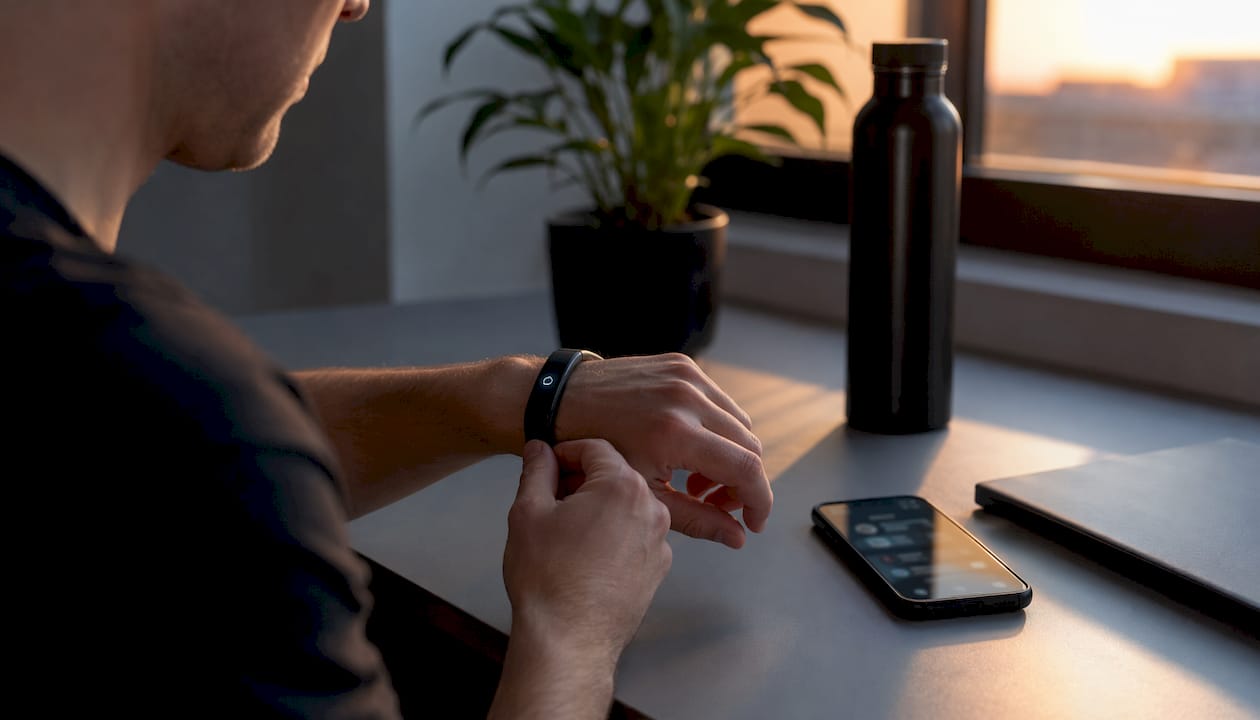
The cadence connection is direct. Runners typically have a step cadence in a high BPM range, and music matched to that tempo can line up beat-for-beat with foot strikes. That synchrony isn’t just satisfying; it can nudge your stride rate up or down without conscious effort. A 150 BPM track played to a runner hitting 145 steps per minute will subtly pull their cadence higher over the next minute or two.
Pro Tip: If you want to use BPM to guide cadence, start with a song that already matches your natural pace before asking the app to push you faster. The transition feels smoother and the adaptation sticks better.
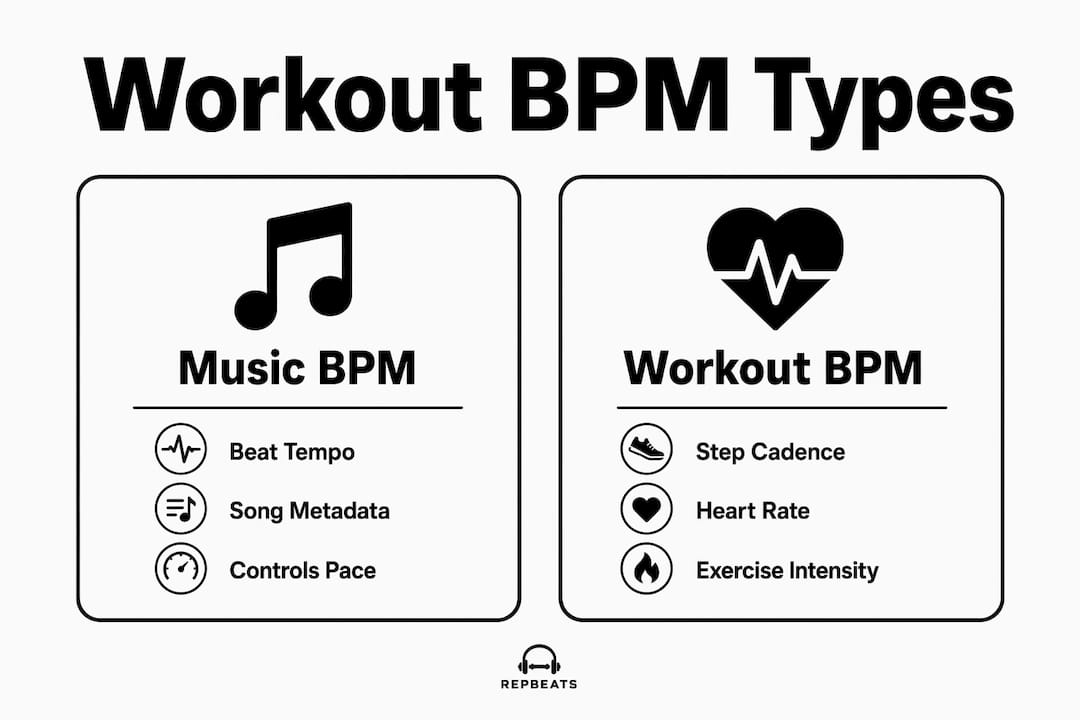
Music tempo comes from song metadata or real-time detection. Heart rate comes from an optical sensor on your wrist. Step cadence comes from an accelerometer in your phone or watch. Knowing which signal your app is using at any moment tells you why the music just changed.
BPM ranges for every workout type
The table below maps common workout types to practical tempo ranges you can test today.
| Workout type | BPM range | Why it works |
|---|---|---|
| Warm-up / mobility | 100–120 BPM | Matches easy walking pace; keeps effort low |
| Steady-state cardio | 120–140 BPM | Broadly motivating for most people at aerobic effort |
| Tempo run / threshold | 150–170 BPM | Aligns with high running cadence |
| HIIT peaks | 170–190 BPM | High arousal; reduces perceived exertion at max effort |
| Cycling (cadence-matched) | — | Pedal cadence ~80–100 rpm; double-time feel at 160–200 BPM |
| Strength training | — | Drives rep rhythm without rushing rest periods |
| Yoga / stretching | 60–90 BPM | Slows breathing cues; supports parasympathetic recovery |
A few practical notes:
- 120–140 BPM is the sweet spot for general cardio motivation, according to Psychology Today’s coverage of tempo research.
- Unfamiliar or lyric-free tracks may need roughly 10 BPM faster to deliver the same motivational punch as a familiar song you know well.
- Cycling cadence is often half the music BPM, so a 170 BPM track matches a 85 rpm pedal rate.
How BPM relates to your heart rate and perceived effort
Music tempo doesn’t equal heart rate, but it influences how hard exercise feels. A 2020 Frontiers in Psychology study found that high-tempo music in a very fast BPM range reduced rating of perceived exertion (RPE) during endurance walking compared to no music.
Key finding: High-tempo music reduced perceived exertion during endurance exercise by about 11%, meaning the same physical effort felt noticeably easier with the right tempo playing. This effect was observed in a 2020 Frontiers in Psychology study.
Heart-rate zones give you a complementary framework. Nebraska Medicine defines Zone 1 at 50–60% of max heart rate and Zone 5 above 90%. Roughly, warm-up BPM ranges (100–120) align with Zone 1–2 effort; HIIT peaks (170–190 BPM) target Zone 4–5. The music doesn’t cause the zone, but it can help you settle into it faster.
One safety note: the American Heart Association frames max heart rate formulas like 220 minus age as estimates that vary by individual. Treat your zones as starting points, not hard ceilings. Harvard Health recommends using RPE alongside heart-rate data, especially when sensor readings are noisy.
Pro Tip: During a session, glance at both your heart rate and your RPE. If they disagree, trust the RPE. A wrist sensor can drift during high-intensity intervals; how you feel is always real.
How adaptive music apps sync BPM to your workout
Adaptive apps pull live data from three main sources: wearable heart rate, step cadence from your phone or watch accelerometer, and manual workout-phase selection. Every bar, the app checks whether the current tempo still matches your target zone. If it doesn’t, it either crossfades to a new track or time-stretches the current one to close the gap.
What you’ll actually notice: tempo shifts feel gradual rather than jarring when the algorithm is good. Beat-matched transitions keep the groove intact across song changes. There’s a short latency, typically a few seconds, between a cadence spike and the music responding. That’s normal; the app is averaging your signal to avoid chasing every footstep.
Wearable pairing matters. Apps that read directly from an Apple Watch or Fitbit get cleaner heart-rate data than those relying on a phone’s GPS-estimated pace. Bluetooth sensor pairing usually takes under 30 seconds, but check that your wearable’s heart-rate broadcast is enabled before you start. Repbeats explains the science behind tempo adaptation in detail if you want to go deeper on how the algorithm works.
Pro Tip: Run a two-minute warm-up with the app connected before your main set. It gives the sensor time to stabilize and the app time to lock onto your baseline cadence before the intensity climbs.
How to tune BPM across one session
Follow this checklist the next time you train with adaptive music:
- Confirm sensor pairing. Open the app, connect your wearable or Bluetooth sensor, and verify heart rate is reading before you move.
- Choose your target mode. Decide whether the app should follow cadence, heart rate, or a manual phase schedule. Cadence mode works well for running; heart-rate mode suits cycling and HIIT.
- Run a warm-up phase (5–10 min). Set BPM to 100–120 and note your RPE at the end. It should feel easy.
- Move to your main set. Let the app climb toward your target range (150–170 for a tempo run, 170–190 for HIIT). Check RPE every few minutes.
- Cool down deliberately. Drop BPM to 60–90 and hold it there for at least five minutes. The music cues your nervous system to downshift.
- Log where RPE drifted. If effort spiked unexpectedly, note the BPM at that moment. That’s your personal ceiling for next time.
Stop raising tempo if heart rate or RPE climbs to an unsafe level. Anyone with cardiac concerns should consult a physician before using heart-rate-driven audio intensity.
Pro Tip: Build heart-rate music zones inside your app before your first session. Pre-mapped zones mean the music transitions happen automatically instead of requiring manual adjustments mid-run.
What to look for when choosing an adaptive music app
Prioritize apps with low-latency sensor integration, transparent tempo controls, and clean transition algorithms. Everything else is secondary.
Feature checklist:
- Wearable compatibility: Does it support Apple Watch and Fitbit natively? Bluetooth HRM support?
- Real-time tempo control: Can it time-stretch audio, or does it only swap full tracks?
- Manual override: Can you lock BPM during a specific phase?
- Preset tempo charts: Does it ship with BPM ranges mapped to workout types, or do you build them from scratch?
- Offline playback: Will it work without a data connection mid-run?
- Session logs: Can you export BPM and heart-rate data after a workout?
On the purchase side, check whether a free trial covers a full workout (not just five minutes), whether pricing is per month or one-time, and whether it integrates with your existing music library. A wearable like the VOLTRA biometric band pairs well with apps that support open Bluetooth HRM profiles, giving you cleaner biometric input than a phone alone.
Pro Tip: Test the transition algorithm specifically. Play a track, manually bump the BPM target by 20, and listen. A good app blends smoothly; a poor one cuts abruptly or drifts out of sync within 30 seconds.
Key Takeaways
Workout BPM is the single most actionable lever in adaptive music: match the tempo to your phase, and perceived effort drops while cadence and consistency improve.
| Point | Details |
|---|---|
| BPM definition | Workout BPM is music tempo in beats per minute, used to match or influence exercise intensity. |
| Phase-mapped ranges | Warm-up sits at 100–120 BPM; steady cardio at 120–140; HIIT peaks reach 170–190 BPM. |
| Tempo and perceived effort | High-tempo music reduced perceived exertion during endurance exercise by about 11% in a 2020 Frontiers in Psychology study. |
| Personalize with RPE | Use RPE alongside heart-rate data; max heart rate formulas are estimates, per the American Heart Association. |
| Repbeats | Repbeats syncs music tempo to heart rate and cadence every bar, adapting automatically via Apple Watch or Fitbit. |
Why tempo is the most underused training variable
Most athletes obsess over pace, power output, and heart rate. Almost none of them think carefully about the tempo of what’s playing in their ears, even though that number is shaping how hard the workout feels in real time. The 11% reduction in perceived exertion from high-tempo music isn’t a rounding error. For a 60-minute run, that’s the difference between finishing strong and grinding through the last 15 minutes on willpower alone.
The bigger missed opportunity is personalization. Generic playlists at a fixed 140 BPM ignore the fact that your cadence changes across a session, your heart rate climbs through zones, and your perceived effort shifts with fatigue. A static tempo that motivated you at mile two is working against you at mile six. The apps that adapt every bar, rather than every song, are the ones worth your attention.
What actually changes behavior is when the music feels responsive. Runners who experience a beat that rises with their effort report staying in zone longer, not because they’re trying harder, but because the audio environment matches where they are. That feedback loop is what heart-rate synced music is actually selling, not just a playlist.
Repbeats brings adaptive BPM to every workout
Your music should move with you, not sit at a fixed tempo while your effort climbs and falls. Repbeats syncs music tempo to your live heart rate and cadence every single bar, using auto-DJ technology that responds to real workout data rather than a preset playlist.

It connects directly with Apple Watch and Fitbit, pulling clean biometric data to keep your music locked to your training zone through warm-up, peak effort, and cool-down. Before your first session, check that your wearable’s heart-rate broadcast is active and that Bluetooth is enabled. Setup takes under two minutes.
Try Repbeats and run your first adaptive session today. The tempo will handle itself.


