Fitbit Cadence Music: Match Your Steps to the Right BPM
Jordan MillsNovember 2, 2026 · 12 min read

Fitbit Cadence Music: Match Your Steps to the Right BPM
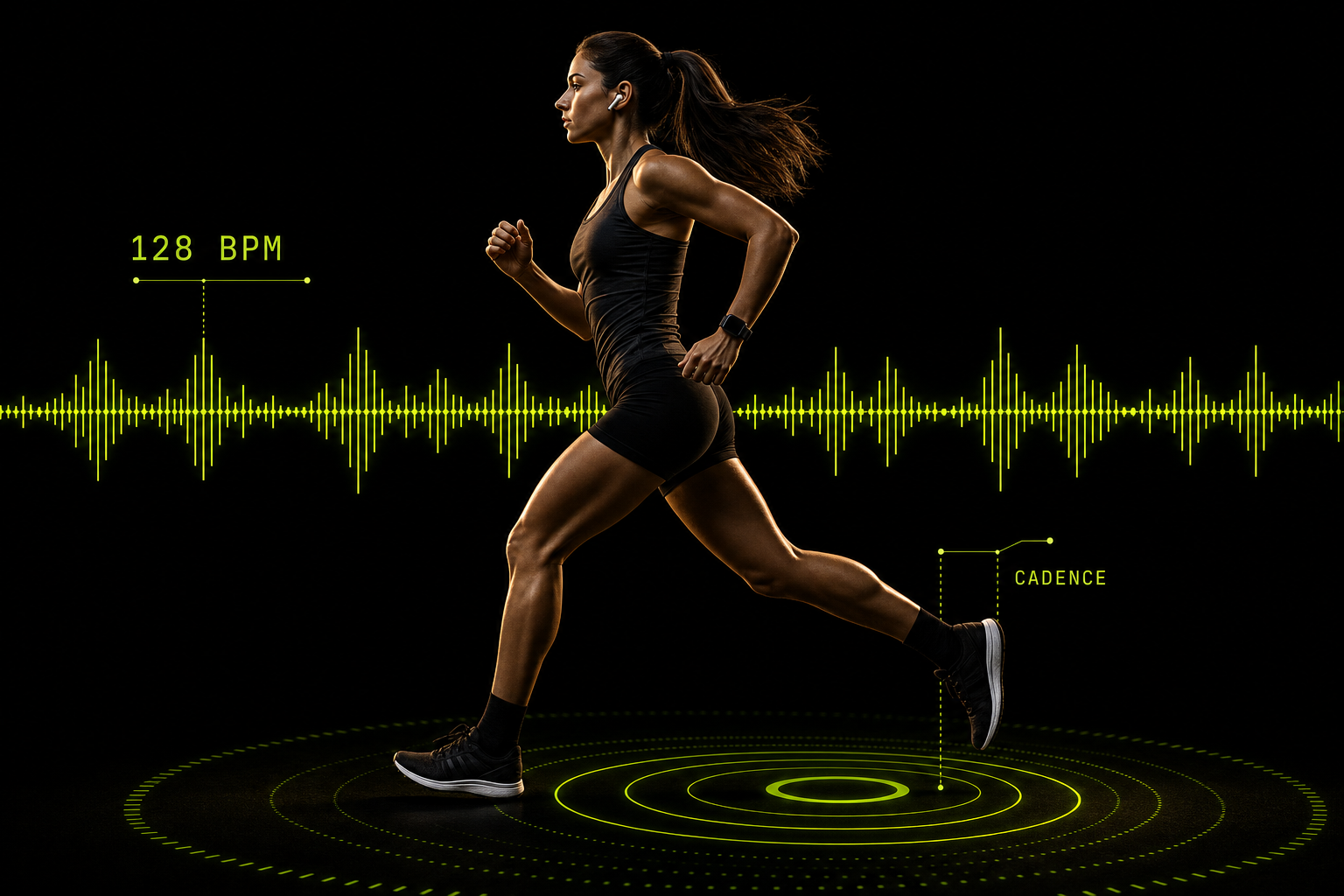
To match music to your cadence, find your steps per minute, then choose songs at that BPM, or at exactly half or double it. A Fitbit can show your cadence on supported devices. It can control playback, but it does not choose tempo-matched songs for you. This guide covers the conversion, the BPM ranges for running, walking, hiking and cycling, and how to set it all up.
TL;DR
- Cadence is steps per minute. A song at the same BPM puts one step on each beat. Half-time or double-time songs work too.
- Cadence tracking depends on your device. Google’s help pages document step cadence for Pixel Watch running metrics, so check your own model first.
- Fitbit’s music controls operate playback on your phone. They do not match tempo to your pace. Spotify controls need Premium.
- Tempo is a pacing cue, not a guarantee. Studies show music can nudge cadence, but results vary by person and activity.
- For music that follows your live heart rate and cadence, an adaptive app does the matching for you.
Table of Contents
- What cadence means and where Fitbit shows it
- Cadence to BPM: the math
- BPM ranges by activity
- Can music really change your cadence?
- Does a Fitbit play tempo-matched music?
- Build a cadence playlist by hand
- Track your progress, not just the song
- Perspective: why we built music that follows you
- Try adaptive music in your next session
- Safety when you listen outdoors
- FAQ
- Sources
What cadence means and where Fitbit shows it
Google’s Fitbit Help Center defines step cadence as how many steps you take per minute. The same page lists it with other running form metrics such as ground contact time, vertical oscillation and stride length. It says higher cadence is associated with higher efficiency. Its documented list covers Pixel Watch models, and you view the numbers in the post-workout summary and in the Fitbit app.
That detail matters. Older Fitbit trackers count steps, but that is not the same as a running form metric. If you own a different model, open your device’s help page or the exercise summary and see whether cadence appears. If it doesn’t, you can still get a usable number the old-fashioned way. Count your steps for 30 seconds during a steady stretch and double the result.
Two habits make the number more useful:
- Use steady segments. Average cadence across a whole run blends warm-up, hills and walking breaks. The help page also describes split cadence, the average steps per minute for a workout segment. That is the figure to use when picking a song.
- Check at the effort you plan to hold. Your easy-run cadence and your tempo-run cadence differ. Pick songs for each.
Cadence to BPM: the math
BPM is beats per minute. The American College of Sports Medicine explains that tempo is measured in BPM and that you can find a song’s BPM by counting measures in one minute and multiplying by beats per measure. That gives you a way to check a track without any app.
The conversion is simple arithmetic:
- One step per beat: 170 steps per minute means a 170 BPM song.
- Half-time: at 170 steps per minute, an 85 BPM song also works. You land one foot on every beat, so a full left-right pair covers two beats.
- Double-time: a 90 BPM song matches a 180 cadence if you step on every other beat.
- Cycling: pedal cadence is revolutions per minute. At 90 rpm, a 90 BPM song lands one stroke per beat. A 180 BPM song lands two beats per stroke.
| Your cadence (per minute) | Full-time BPM | Half-time BPM |
|---|---|---|
| 110 (brisk walk) | 110 | 55 |
| 130 (hike or easy jog) | 130 | 65 |
| 160 (easy run) | 160 | 80 |
| 170 (steady run) | 170 | 85 |
| 180 (fast run) | 180 | 90 |
Start with the full-time match. If a song at that number feels frantic, try the half-time version of a slower track.
BPM ranges by activity
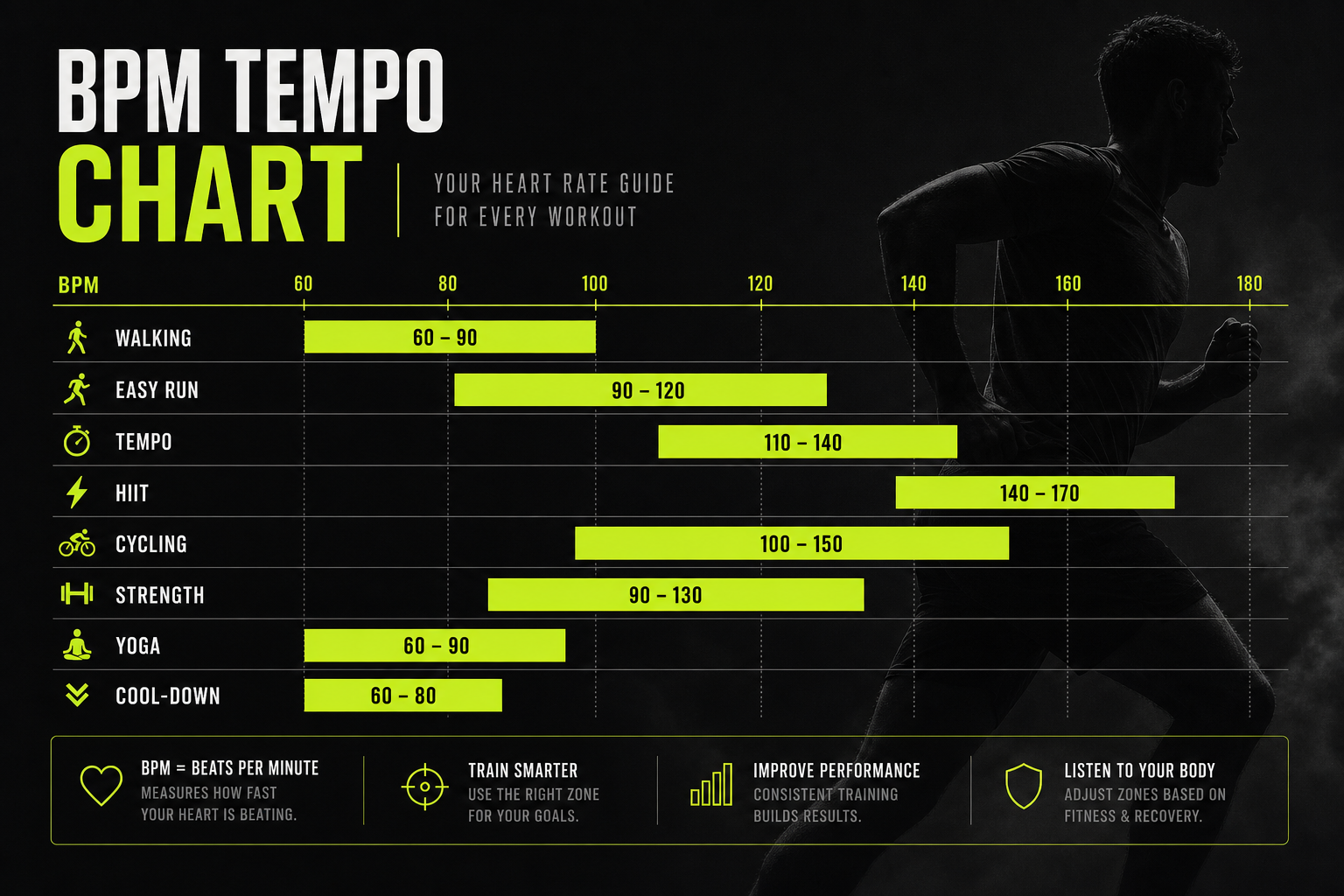
There is no single correct BPM. The ranges below are starting points from published guidance. Treat them as music-tempo ranges, not mandatory cadence targets.
Running
Nike’s running guidance, citing sports psychologist Costas Karageorghis, gives below 120 BPM for warm-ups or recovery, 120 to 140 BPM for long or general runs, and above 140 BPM for harder sessions, race day and speed work. ACSM’s exercise-music guideline lists high-impact exercise at 135 to 155 BPM, step training at 118 to 128 BPM, and indoor cycling at 60 to 110 BPM.

A 2015 PLOS ONE study tested music at tempos matching runners’ measured cadence. It found that small tempo changes significantly influenced running cadence, and its music database covered 130 to 200 BPM, which corresponds to the cadence range of recreational runners. If you want to choose BPM for a tempo effort specifically, see our guide on tempo run BPM.
Walking and hiking
A hiking-tour company’s guide says most people naturally walk at around 110 to 130 steps per minute, and songs of 120 to 140 BPM often feel like a good hiking rhythm. That is a useful starting window, not a rule. A steep climb with a pack slows your steps, so the right BPM drops. Downhill, it rises.
For a hike, count steps for 30 seconds on a typical stretch of trail, double it, and use that as your center. Then build a playlist within about 10 BPM either side. We keep a list of options in our walking cadence music guide.
One caveat: a peer-reviewed study had people walk in sync with 130 BPM music and found that different musical characteristics changed walking speed even when tempo stayed constant. Tempo is a cue. Energy, rhythm and mood in the song matter as well.
Cycling
For cycling, match tempo to pedal cadence rather than to speed. A 2010 study found that raising music tempo by 10% increased distance covered, power and pedal cadence by 2.1%, 3.5% and 0.7%, while lowering it by 10% reduced them by 3.8%, 9.8% and 5.9%. Faster music raised work rate, though it did not necessarily make the effort feel easier.
If you ride indoors, ACSM’s 60 to 110 BPM range for indoor cycling fits a steady spin. Use double-time songs for faster intervals.
Can music really change your cadence?
Often, yes, a little. A research review reports that music can increase running cadence and reduce perceived exertion, and that runners can match cadence to tempo, with effects varying by experience and preference. The same work notes one running study in which synchronous music improved performance by increasing stride length, while asynchronous music did not.
A 2022 study reports that recreational runners who trained with music 7.5 to 10% faster than their baseline cadence raised their cadence without a simultaneous rise in speed or heart rate. The study was small, so treat it as a promising approach, not a prescription.
The practical lesson is to nudge, not leap. If you run at 165, try songs near 170 to 175 before you jump to 185. Our write-ups on raising cadence with small tempo shifts and on testing a metronome against music walk through how to run that experiment over 5 to 10 minutes.

Does a Fitbit play tempo-matched music?
Not by itself. Fitbit’s music features are about control, not tempo selection. According to Google’s help page, on the Charge 6, Sense 2 and Versa 4, YouTube Music controls manage playback on your phone, with no offline playback. They need a nearby Bluetooth-paired phone with the Google Health app running in the background, plus an internet connection. YouTube Music Premium is required in most locations.
Certain Fitbit devices also have Spotify controls that operate playback on a phone, computer or other Spotify Connect device. Spotify’s own page states that the feature is for Premium subscribers and lists the supported devices.
So the workflow with a plain Fitbit looks like this:
- Read your cadence from the exercise summary or from a 30-second count.
- Convert it to BPM with the table above.
- Build or find a playlist at that tempo in your music service.
- Start the playlist on your phone and use your wrist to skip, pause and adjust.
It works, but it is static. Your cadence will drift as you tire, climb or finish a interval, and a playlist can’t follow. That gap is why many people give up on manual matching after a few runs.
Build a cadence playlist by hand
If you want to do it manually, keep the project small.
- Pick three tiers. For a runner, that could be an easy tier, a steady tier and a hard tier, each about 10 BPM apart.
- Find BPM. Use your service’s tempo filters if it has them, or count measures for a minute as ACSM describes.
- Order by effort. Start at warm-up pace, hold the middle tier for most of the session and save the fastest songs for the last third.
- Test the feel. If you keep stumbling off the beat, try half-time or double-time versions.
- Retest every few weeks. As you get fitter, your cadence at the same effort shifts.
For treadmill sessions, where speed is fixed and cadence is easy to hold, see our notes on treadmill cadence music. For a general method of picking numbers, how to choose the right BPM is the place to start.
Track your progress, not just the song
Tempo-matched music is one lever. The other is seeing whether your cadence, pace and heart rate move over weeks. Setting clear targets and checking progress metrics and goals over time makes it easier to tell whether a change in music is actually helping or just feels good.
Perspective: why we built music that follows you
We started from a simple frustration. A playlist is fixed, and a workout is not. Your heart rate rises through a warm-up, your cadence shifts on a hill, and your intensity changes in every interval. A static list of songs can match you for a minute, then it is wrong for the next twenty.
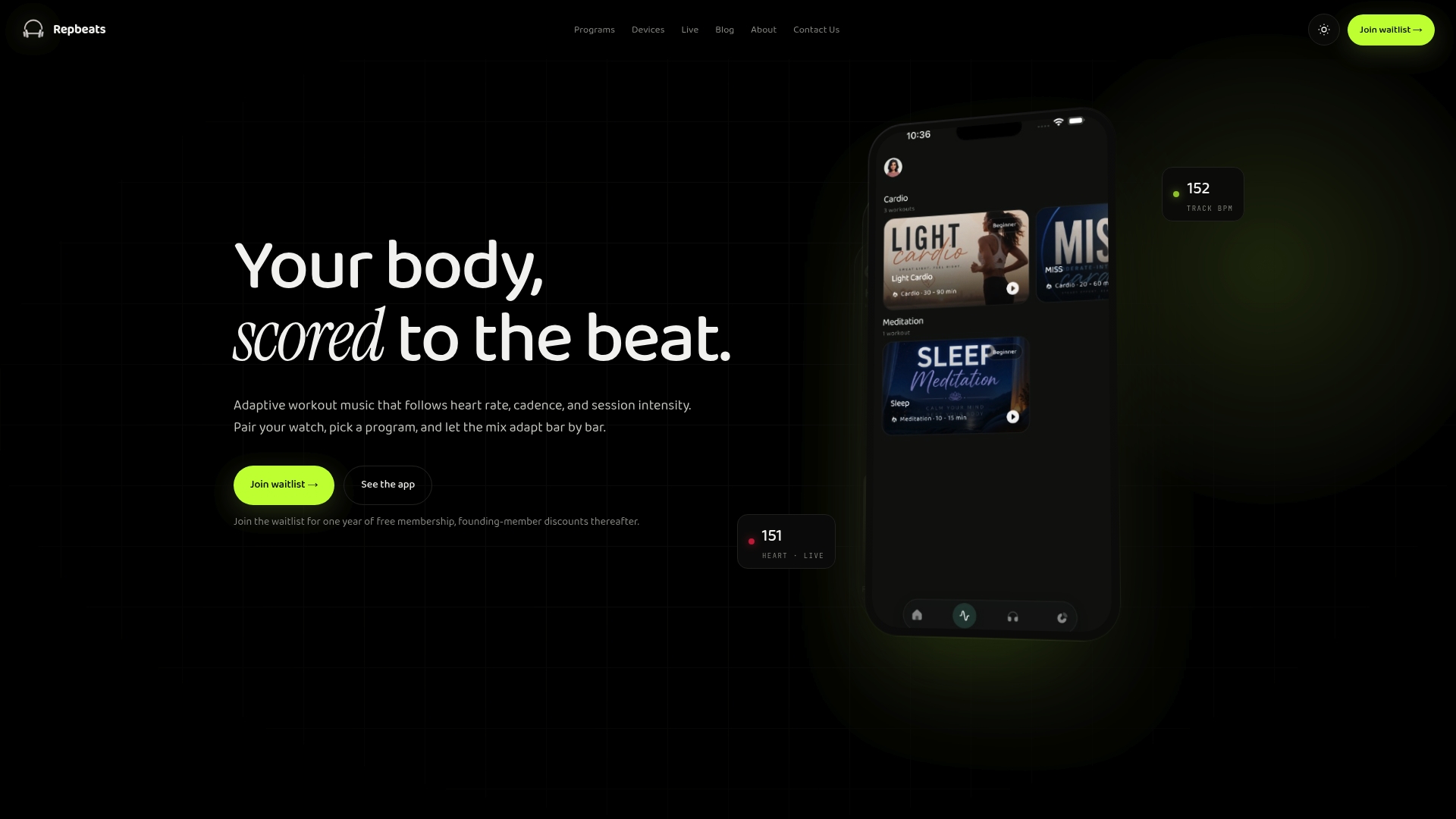
That is why Repbeats is designed to read live data from wearables such as Apple Watch and Fitbit and adjust the music’s tempo to your heart rate, cadence and session intensity. Our auto-DJ updates BPM every bar, so the music moves with you in small steps instead of making you hunt for the right track.
We think this is the right way to use the research. Studies suggest small tempo shifts are what nudge cadence, and small shifts are hard to do by hand mid-run. We would rather you spend your attention on the road, the trail or your breathing.
We also keep access narrow. Our privacy policy limits device access to workout data only.
Jordan Mills
Try adaptive music in your next session
If you would rather not convert numbers while you run, Repbeats does the matching live. It synchronizes music tempo to heart rate, cadence and session intensity using data from wearables like Apple Watch and Fitbit, and it covers running, cycling and meditation programs. You can control playback in real time, search the music library and schedule programs.
See how it works on the Repbeats app page, or start from the Repbeats home page.
Safety when you listen outdoors
Music can dull awareness of what is around you. A study of cyclists found that listening to music can impair perception of auditory signals, especially with in-ear earbuds or high volume. On roads and busy trails, keep the volume low enough to hear traffic, bells and other people. Use one earbud or an open-ear speaker when you ride or run near vehicles. Take music out entirely for technical descents and crowded crossings.
FAQ
Can a Fitbit show my running cadence?
On supported devices, yes. Google’s help page documents step cadence, in steps per minute, among the running metrics for Pixel Watch models, and you can view it in the post-workout summary and the Fitbit app. For other models, check your device’s help page. If cadence is not listed, count your steps for 30 seconds and double the number.
How do I convert cadence to BPM?
Use the same number for one step per beat. A 170 steps-per-minute cadence matches a 170 BPM song. You can also use half or double: an 85 BPM song fits a 170 cadence if you step on every beat, and a 90 BPM song fits a 180 cadence if you step on every other beat.
Does Fitbit allow Spotify?
Certain Fitbit devices have Spotify controls that operate playback on a phone, computer or another Spotify Connect device, and Spotify Premium is required. Charge 6, Sense 2 and Versa 4 use YouTube Music controls to manage playback on a paired phone, with no offline playback. Your supported-device list is on the official help pages.
What BPM should I use for hiking pace?
Count your steps per minute on a typical stretch of trail and use that number as your center. Many people walk at roughly 110 to 130 steps per minute, and songs of 120 to 140 BPM often feel natural. Drop the BPM on steep climbs and raise it on flat or downhill sections.
Sources
- Advanced running and form metrics, Google Health Help Center
- Music Tempo Guidelines for Exercise, ACSM
- Music Tempo Guidelines for Exercise (PDF), ACSM
- Choose the Right Music to Power Your Run, Nike
- Spontaneous Entrainment of Running Cadence to Music Tempo, PLOS ONE
- Best hiking songs, Hillwalk Tours
- Activating and Relaxing Music Entrains the Speed of Beat Synchronized Walking
- Effects of music tempo upon submaximal cycling performance
- Use of Music to Improve Running Performance
- Using beat frequency in music to adjust running cadence
- Control music with my Fitbit device, Google Health Help Center
- Spotify on Fitbit, Spotify Support
- Effects of listening to music, and of using a handheld and handsfree telephone, on cycling behaviour