Tempo Run Playlist: How to Build One That Holds Your Pace
Jordan MillsNovember 4, 2026 · 13 min read

Tempo Run Playlist: How to Build One That Holds Your Pace
The best tempo run playlist is one built around your own cadence, not a random list of fast songs. Aim for tracks in the 160 to 170 BPM range, the range Runner’s World uses for its tempo-run picks, then adjust up or down until the beat lines up with your steps at a comfortably hard effort. Below you’ll find how to pick the BPM, how to find your cadence, how to order the songs, and how to listen safely.
TL;DR
- A tempo run is a steady, comfortably hard effort of about 20 to 30 minutes, roughly a 6 out of 10 on the effort scale.
- Start with songs around 160 to 170 BPM, then match them to your own steps per minute.
- Count your right foot strikes for 60 seconds and double the number to get your cadence.
- Keep the tempo block steady, with warm-up and cool-down songs on either side, and change cadence only 2 to 6 steps per minute at a time.
- Keep the volume moderate and your ears aware of traffic, and check race rules before racing with headphones.
Table of Contents
- What a tempo run should feel like
- Choosing the right BPM for a tempo run
- Match the music to your cadence
- How to build the playlist, step by step
- Common mistakes with tempo playlists
- Listen smart: safety and volume
- Let the music follow your effort
- FAQ
- Sources
What a tempo run should feel like
Before you pick songs, know what the music has to support. A tempo run is a continuous effort at a comfortably hard pace, usually 20 to 30 minutes. It should feel like about a 6 out of 10 on a perceived exertion scale, with a little effort still in reserve.
That definition shapes the playlist. You aren’t trying to get hyped for a sprint. You want a rhythm that keeps you from drifting too slow when your mind wanders, and from charging too fast in the first mile. Music with a stable, predictable beat does that job better than music with big dynamic swings, long quiet bridges, or sudden tempo changes.
Three things matter most:
- A consistent tempo. Songs that hold one BPM from start to finish.
- A beat you can feel. Clear drums or bass, not a wash of ambient texture.
- Enough variety to stay interested. Twenty to thirty minutes of the same track would be unbearable, so choose songs that sit in a narrow BPM band but sound different from each other.
Choosing the right BPM for a tempo run
There’s no single magic number. There are useful ranges, and your own stride decides where inside the range you land.
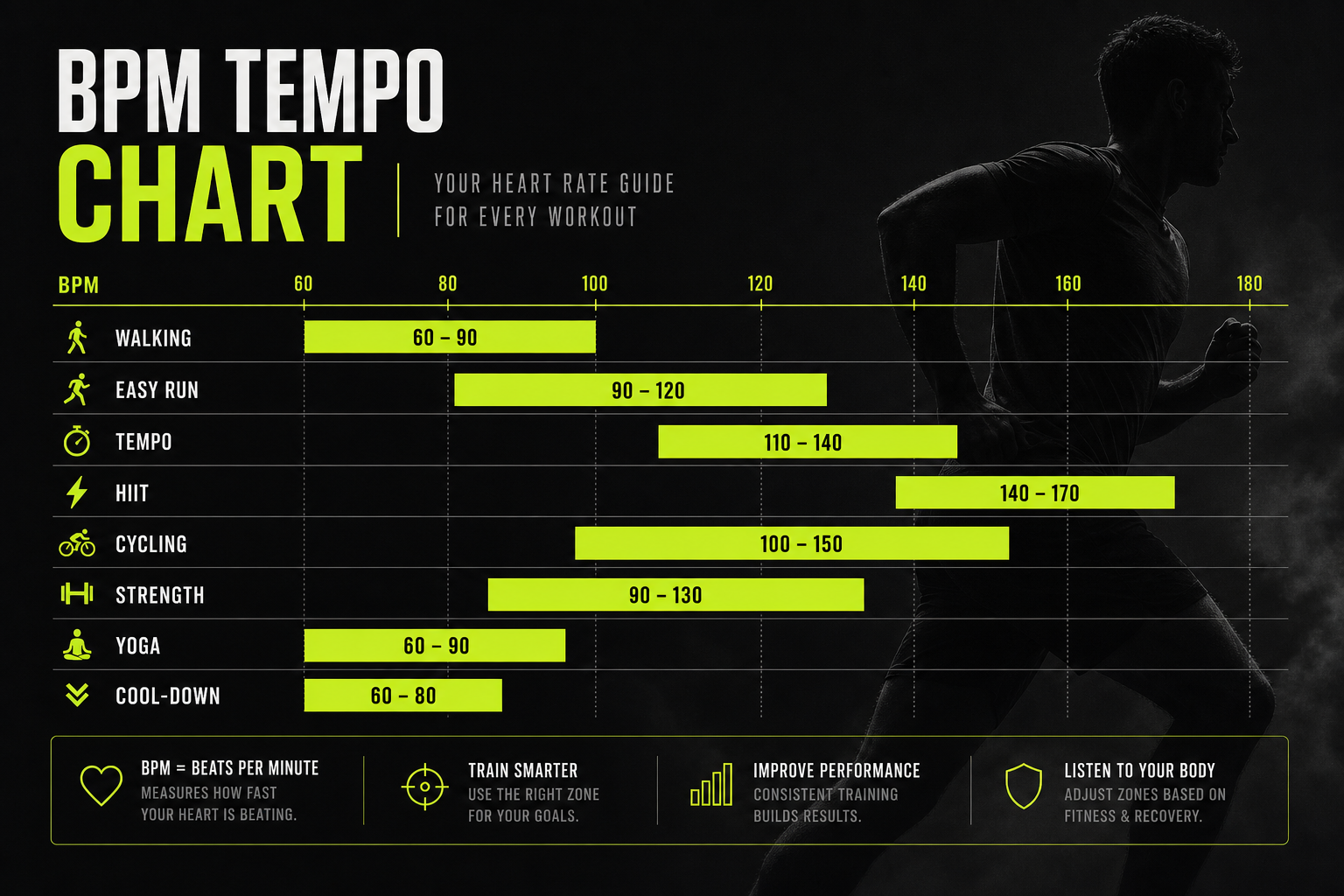
For tempo efforts specifically, one tempo-run playlist from Runner’s World centers on 160 to 170 BPM, which is meant to keep your legs turning over with the beat. For wider context, Nike’s U.S. running guidance gives practical ranges: below 120 BPM for warm-ups and easy or recovery runs, 120 to 140 BPM for long or general training runs, and above 140 BPM for harder workouts, races and speed sessions.
| Part of the run | Suggested BPM | Why |
|---|---|---|
| Warm-up | Under 120 to 140 | Easy effort, loosening up |
| Tempo block | About 160 to 170, or your cadence | Steady, comfortably hard rhythm |
| Cool-down | Under 120 to 140 | Heart rate drops, legs settle |
You’ll notice that some tempo songs sit at 80 to 85 BPM or at 130 to 140 BPM. Those aren’t mistakes. They work through half-time matching, which is covered in the next section.
How to estimate a song’s BPM
Most streaming apps don’t show BPM. If a song’s tempo isn’t listed, Nike suggests tapping out the beat for 20 seconds and multiplying the number of beats by three. It takes half a minute and works well enough for planning a playlist. Sites and apps built to sort songs by BPM can also speed things up, and ACTIVE lists several types of these BPM-finder tools.

Match the music to your cadence
Cadence is the number of steps you take per minute. Matching music to it is what turns a playlist from background noise into a pacing tool.
To find yours, run at your normal tempo pace, then count how many times your right foot hits the ground in 60 seconds and multiply by two. A fitness watch will also report cadence automatically if it tracks running dynamics. Run a few tempo-effort minutes and write the number down. It’s usually a bit higher than your easy-run cadence.
There are two ways to use that number:
- 1:1 matching. Pick songs whose BPM equals your steps per minute. If you run at 168 steps per minute, look for songs around 168 BPM. One beat, one footfall.
- 2:1 matching. Pick songs at half your cadence, so each beat lands on every other step. At 168 steps per minute, that’s songs near 84 BPM. Half-tempo works best with rhythmically busy songs, such as hip-hop, so your stride still has something to lock onto.
Half-time matching is why a lot of excellent hip-hop and slower, heavy-groove tracks work on tempo runs even though their listed BPM looks too low.
What the research says about music and cadence
This isn’t just folklore. In a 2015 peer-reviewed study of 16 recreational runners, music first matched to each runner’s measured cadence influenced their cadence afterward when the tempo was shifted by 1% to 3%. The same study found a linear relationship between the direction of tempo changes and changes in cadence, but it also found a limit: runners did not keep following larger changes indefinitely.
Two takeaways for your playlist:
- Small steps work. If you want to nudge your cadence up, make the change small rather than jumping to a much faster song.
- Intention matters. A later peer-reviewed study found runners synchronized less when they weren’t told to match their cadence to the music. Passively listening is not the same as deliberately landing your steps on the beat. For the first few minutes of each song, tune in to it.
Another study of beat-synchronized running found that continuous tempo plus phase alignment produced the strongest synchronization. Tempo matching alone lines up the beat intervals but not necessarily the exact timing of each footfall. In practice, that means a steady tempo helps, and so does consciously stepping on the beat.
If you want to go further on this, our guide to raising cadence with 1 to 3% tempo shifts covers the approach in detail.
Change cadence gradually
If you want to lift your cadence, don’t leap. Running coach Janet Hamilton recommends changing cadence in steps of two to six steps per minute to avoid fatigue and a drop in running economy. For a playlist, that means building your tempo block in a tight BPM band rather than lurching between 150 and 180 BPM songs.
How to build the playlist, step by step
Here’s a simple process you can finish in about 20 minutes.
- Know your cadence. Use the 60-second count above at tempo effort.
- Choose 1:1 or 2:1. If your cadence is around 160 to 170, you can pick songs at that BPM or at 80 to 85.
- Set a band. Take your cadence and allow about 2 to 4 BPM either side. For a 168 cadence, that’s songs from about 164 to 172.
- Collect more songs than you need. Gather 12 to 15 candidates so you can cut the ones that don’t feel right.
- Test on a run. Some songs look right on paper but have an awkward feel. Cut those.
- Order for the run, not for the album. More on this below.
A sample structure for a 20-minute tempo run
A typical session is a 10-minute warm-up, 20 minutes at tempo effort, and a 10-minute cool-down. With songs of about three and a half minutes, that’s roughly:
| Segment | Length | Songs | Music |
|---|---|---|---|
| Warm-up | 10 min | 3 | Easy tempo, under 140 BPM, building gradually |
| Tempo block | 20 min | 6 | Your cadence band, steady |
| Cool-down | 10 min | 3 | Back below 140 BPM, relaxed |
The song count is simple arithmetic, so adjust it to your actual track lengths. For a 30-minute tempo block, add three more songs to the middle.
Ordering the tempo block
- Open with a song you know well. The first tempo minutes are where people go out too hard. A familiar, steady song makes it easier to settle into the effort.
- Put your most driving songs in the middle. That’s when the discomfort peaks and distraction helps most.
- Hold the BPM band. Don’t put a 150 BPM track next to a 175 BPM track, or your legs will argue with the beat.
- Save the biggest song for the last few minutes. Not the first.
If your tempo run is on a treadmill, where pace is fixed by the belt, see our notes on treadmill running music. For longer efforts that sit near threshold pace, threshold run music covers the lower half-time ranges. If you’re training for a longer race, marathon pace music applies the same logic to a different effort.
Common mistakes with tempo playlists
Choosing songs by energy instead of tempo. A thunderous song at 130 BPM may feel exciting but will push your cadence in a direction your legs don’t want, unless you’re running half-time.
Shuffling. Shuffle mixes BPMs. That’s fine for easy runs, but it undermines a tempo effort that depends on rhythm.
Making the list too short. Repeats of the same song add distraction in the wrong way. Build 5 to 10 minutes more than you need.

Matching too aggressively. A cadence jump of 10 or more steps per minute is more than most runners can hold, and it shows up as tired calves and shorter strides.
Forgetting that tempo pace changes. Your cadence at a hot, humid tempo effort or on a hill won’t be the same as on a cool, flat road. A static playlist can’t follow that.
Our view: a playlist is a guess, your body is the data
We built Repbeats because we kept seeing the same pattern. A runner spends an hour assembling a perfect 168 BPM list, then the real run happens. A headwind arrives, the course tilts uphill, heart rate climbs, and the music keeps playing at exactly the tempo it was set for that morning.
A static playlist is a snapshot of the run you planned. We think music should respond to the run you are actually having. That’s why Repbeats reads live data from wearables such as Apple Watch and Fitbit and adjusts the tempo to your heart rate, your cadence and the intensity of the session, updating the BPM every bar.
For a tempo run, that matters because the whole point is staying in a narrow effort band. When the music follows your zone, you spend less attention policing your pace and more simply running it. We also designed the app to access only workout data on your device, because we believe a training tool shouldn’t need more than that.
Manual playlists are still a great way to learn what your cadence feels like, and everything above will help you do it. But once you know your numbers, we’d rather the app do the matching.
Jordan Mills
Listen smart: safety and volume
Music is a tool, not a requirement. Runner’s World advises using music selectively: it can help pacing and motivation, but you should sometimes run without it so you can monitor your breathing and foot strikes, and hear traffic, other people and the weather. A good habit is to run your easy days without headphones and save the playlist for the quality sessions where it earns its place.
Volume matters too. The Hearing Industries Association recommends keeping headphone volume to no more than 50% to 60% of maximum, taking listening breaks, and considering bone-conduction headphones that leave the ears unobstructed. That same advice applies when you’re running on roads, where hearing a car or cyclist matters.
If you race, check the event rules before you pack your earbuds. Some races discourage or restrict portable music devices, so read the participant guide ahead of time. If you have hearing concerns, speak with an audiologist before you raise the volume for training.
Let the music follow your effort
A hand-built list works well for a runner whose pace and cadence stay flat. Real tempo runs rarely do. Hills, wind, heat and fatigue all change your cadence and heart rate mid-session.
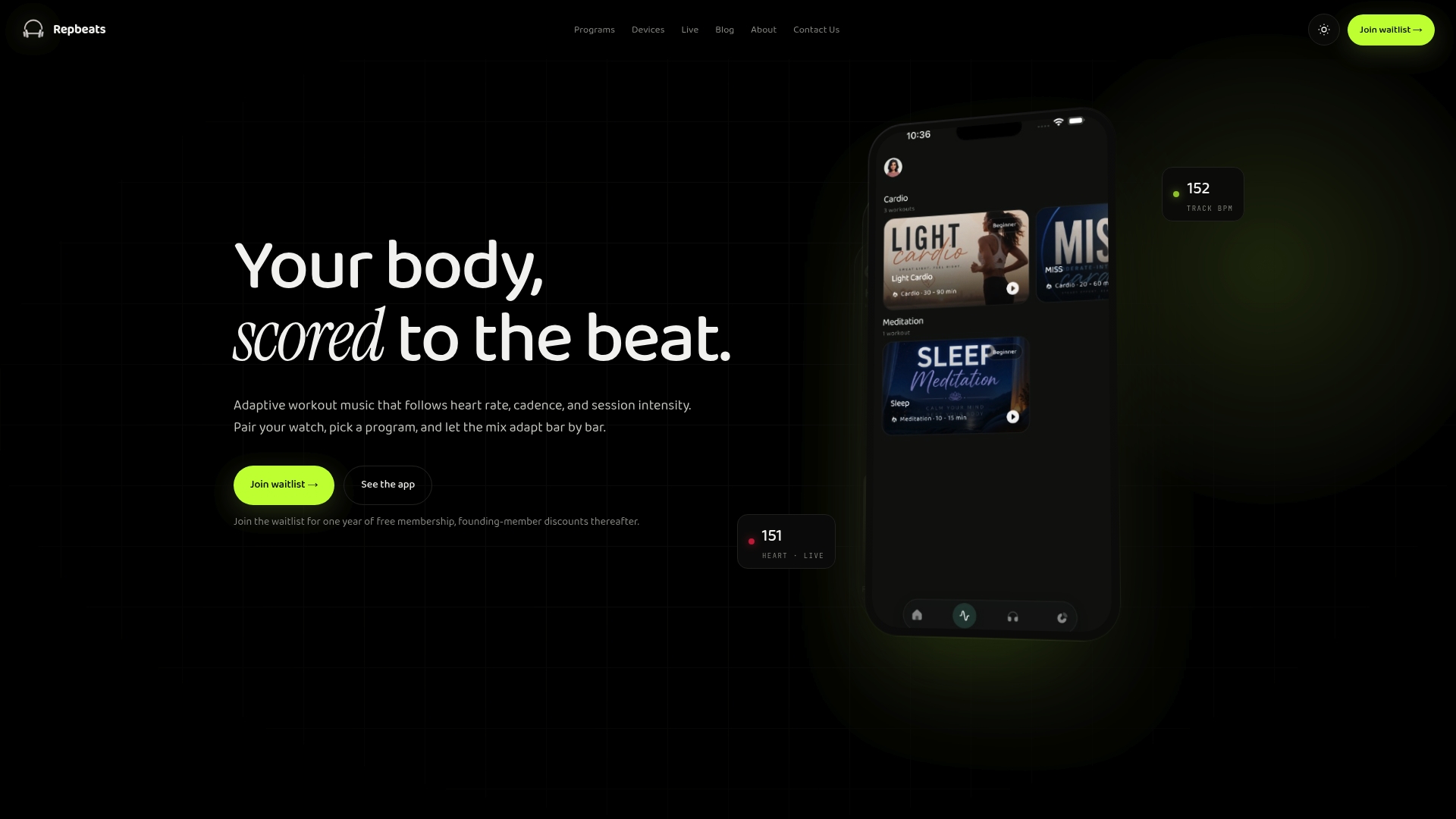
Repbeats is an adaptive music app that synchronizes tempo to heart rate, cadence and session intensity, using live data from wearables like Apple Watch and Fitbit. Its auto-DJ updates the BPM every bar, so the beat stays tied to what you’re doing in the moment. It also supports real-time music control, library search and program scheduling, so you can plan tempo days in advance.
If you’d like to try it, see how the Repbeats app works. The waitlist launch includes a free year, and you can check repbeats.com for the current trial terms.
Related guides: focus run music for mid-range BPM work, long run music for 150 to 185 BPM efforts, sprint workout music for fast intervals, and 5K race music for race day. If you’re not sure whether a metronome or music suits you better, our metronome versus music test takes only 5 to 10 minutes.
FAQ
What BPM is best for a tempo run?
There’s no single best number, but 160 to 170 BPM is a common target, and it’s the range used in Runner’s World’s tempo-run playlist. The better answer is your own cadence. Count your right foot strikes for 60 seconds, double it, and pick songs near that number, or near half of it for half-time matching.
How long should a tempo run playlist be?
Cover the whole session, warm-up and cool-down included. Since a tempo block is usually 20 to 30 minutes, a 40 to 50 minute run needs about 12 to 14 songs at three and a half minutes each. Add a few spares so you can skip a song that doesn’t feel right without breaking the flow.
Should I run tempo with or without music?
Both have a place. Music can help with pacing and motivation, but Runner’s World suggests sometimes running without it so you can tune in to your breathing and foot strikes. Keep the volume moderate and stay aware of traffic when you run outside.
Do slower songs work for tempo runs?
Yes, if you use half-time matching. A song at about half your cadence puts one beat on every second step. It works best with rhythmically busy styles such as hip-hop, because the stride still has a clear pattern to follow.
Can music really change my cadence?
It can nudge it. In a 2015 study of recreational runners, music tempo shifts of 1% to 3% influenced cadence, though the effect had limits. Make changes small and gradual, and listen to the beat on purpose.
Sources
- Tempo Runs: Everything You Need to Know, Runner’s World
- Tempo Run Playlist: 30 Songs to Help You Hold the Pace, Runner’s World
- Choose the Right Music to Power Your Run, Nike
- The Best Running Song BPM, BODi
- Spontaneous Entrainment of Running Cadence to Music Tempo, PMC
- Instructed versus spontaneous entrainment of running cadence to music, PubMed
- Optimizing beat synchronized running to music, PMC
- Running and Music: Finding your BPM, Runners Need
- Best Running Playlists for Motivation, ACTIVE
- Running With Headphones: When You Should and When You Shouldn’t, Runner’s World
- Rocking the Workout: Amp up the Energy, Not the Volume, Hearing Industries Association